
IPTV Canada is becoming one of the easiest ways for everyday viewers to enjoy live TV, movies, sports, and on-demand entertainment without the old cable routine.
At Primestelly, we know a lot of viewers simply want a smooth, reliable way to watch their favourite channels at home, at the cottage, or on the go without needing to become tech experts.
The good news is that IPTV in 2026 is much more beginner-friendly than it used to be. Most modern Smart TVs, Firesticks, Android TV boxes, Apple TVs, phones, tablets, and laptops can handle IPTV with the right app and a stable internet connection.
This guide walks you through what IPTV means, how it works in Canada, what you need before signing up, which devices make sense, and how to avoid common setup mistakes.
Whether you are replacing cable, adding more international channels, looking for live sports, or simply trying to reduce monthly entertainment costs, this practical IPTV Canada guide will help you make a confident choice.
What IPTV Canada Means in 2026
IPTV stands for Internet Protocol Television. In simple terms, it means TV delivered through your internet connection instead of a traditional cable line, satellite dish, or antenna. For Canadian households, that can mean more flexibility, more device choices, and easier access to live channels and on-demand content.
Instead of waiting for a cable technician or renting bulky equipment, many IPTV users can install an app, enter their subscription details, and start watching. In most cases, the hardest part is choosing the right device and making sure your internet connection is ready.
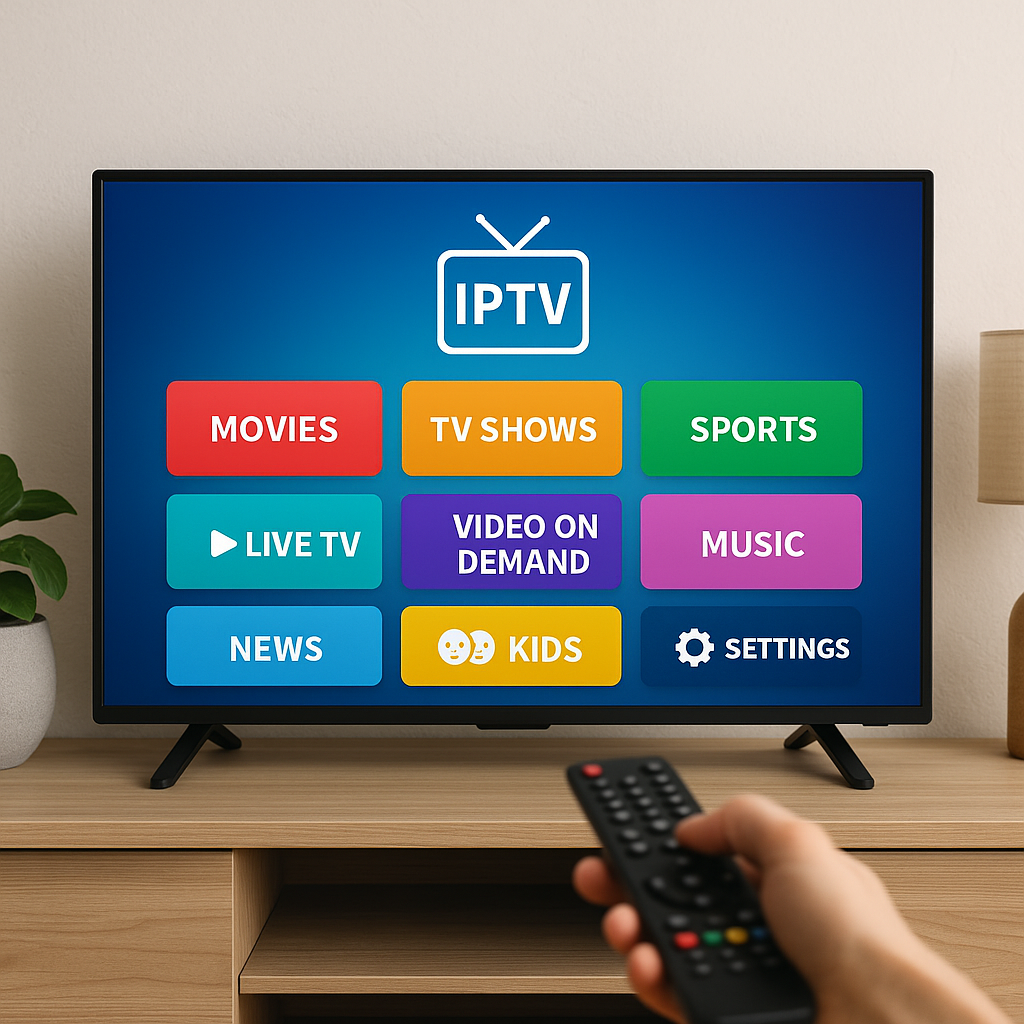
IPTV Canada can include many types of entertainment, such as:
- Canadian live TV channels
- US and international channels
- Sports networks and events
- Movies and TV series on demand
- Kids and family programming
- News, documentaries, and lifestyle channels
For viewers who want a broader look at channel availability, the IPTV channel list for Canada is a helpful place to understand what many households look for when comparing plans.
Why More Canadian Viewers Are Choosing IPTV
A lot of viewers in Canada are rethinking how they pay for television. Cable packages can feel expensive, especially when people only watch a small part of the bundle. IPTV offers a different approach: watch through the internet, use your own device, and often choose a plan that better matches your viewing habits.
There is also a lifestyle factor. Canadian families are busier than ever. People watch in the living room, bedroom, basement, kitchen, camper, dorm, and sometimes while travelling within Canada. IPTV fits that shift because it is not tied to one cable box in one room.
Common reasons viewers consider IPTV include:
- Lower monthly entertainment costs
- More channel variety
- Better sports and international options
- No long cable contract in many cases
- Easy viewing on multiple device types
- Access to VOD libraries
If cost is one of your main concerns, it is worth comparing IPTV with traditional television. Our detailed IPTV vs cable TV cost comparison explains why many Canadian households are reviewing their old cable bills in 2026.
How IPTV Works Without Getting Too Technical
You do not need to understand complicated networking to enjoy IPTV. Think of it like streaming a video on Netflix, YouTube, or Crave, except the service may also include live TV channels, a TV guide, catch-up features, and video-on-demand libraries.
Here is the simple version:
- You choose an IPTV provider or subscription plan.
- You install a compatible IPTV app on your device.
- You enter your login details, M3U link, or portal information.
- Your channel list loads inside the app.
- You select a channel or movie and start watching through your internet connection.
In most cases, once the first setup is complete, daily use is easy. You open the app, choose live TV, sports, movies, series, or favourites, and watch like you would with any other streaming service.
If you are completely new and want a more hands-on walkthrough, the complete setup guide for IPTV in Canada explains the process in a step-by-step way.
What You Need Before Starting with IPTV Canada
Before you sign up for any IPTV plan, it helps to check a few basics. The good news is that most homes already have what they need, especially if they currently stream Netflix, YouTube, Prime Video, or sports apps without problems.
Your basic IPTV checklist includes:
- A stable home internet connection
- A compatible streaming device or Smart TV
- An IPTV app or player
- Your subscription login details
- A reliable Wi-Fi or wired connection
- A little time for the first setup
The most important piece is not always the device; it is often the internet connection. IPTV depends on steady bandwidth. If your internet drops, slows down, or struggles in certain rooms, your viewing experience may suffer even if the IPTV service itself is working properly.
Best Devices for IPTV Canada Viewers
One of the best parts about IPTV is device flexibility. You do not have to use one specific box, and you can often choose the device that already feels familiar in your home.
Popular IPTV devices in Canada include:
- Amazon Fire TV Stick
- Android TV boxes
- Samsung Smart TVs
- LG Smart TVs
- Apple TV
- Chromecast with Google TV
- Android phones, iPhones, tablets, and iPads
For many beginners, a Firestick is attractive because it is affordable and widely available. Android TV boxes can offer more power and flexibility, especially for households that like to customize apps. If you are unsure between the two, our Firestick vs Android TV Box IPTV comparison breaks down the practical differences for Canadian viewers.
Smart TVs are also convenient because there is no extra box on the shelf. However, some Smart TV app stores are more limited than others, so app choice may affect your experience.
IPTV Apps and Players: What Beginners Should Know
An IPTV app is the software that displays your channels, guide, categories, movies, and series. Your provider supplies the service, but the app is what you use every day on your screen.
Some apps are very simple. Others include advanced features such as multiple playlists, external players, parental controls, catch-up TV, favourites, and recording options. For everyday Canadian viewers, the best app is usually the one that feels clear and stable, not necessarily the one with the longest feature list.
Beginner-friendly app features to look for include:
- A clean channel guide
- Easy favourites section
- Fast channel switching
- Simple login options
- Support for live TV and VOD
- Reliable performance on your device
If you are comparing app options, the guide to the best IPTV apps for beginners in Canada can help you choose something comfortable instead of overwhelming.
Internet Speed for IPTV Canada: What Is Enough?
Internet speed matters, but stability matters just as much. A household may have a fast plan on paper, but if Wi-Fi is weak in the living room, IPTV can still buffer or freeze. The goal is a connection that is both fast enough and steady enough.
General speed guidance for IPTV viewing:
- 10 Mbps for basic HD streaming on one device
- 25 Mbps for smooth Full HD viewing
- 50 Mbps or more for multiple active devices
- 75 Mbps or more for busy family homes
- 100 Mbps or more for 4K and heavy streaming
These are practical guidelines, not strict rules. Your home layout, router quality, device age, and other people using the internet can all affect the result. For a deeper explanation, see our guide to internet speed for IPTV in Canada.
In most cases, if Netflix or YouTube plays in HD without interruptions, your connection may already be close to what IPTV needs. If IPTV buffers but other apps work, check the device, app settings, and Wi-Fi strength before assuming your service is the issue.
Wi-Fi, Routers, and Home Setup for Smoother Streaming
Your home network is the quiet hero of IPTV. A strong router and good Wi-Fi placement can make the difference between smooth Saturday night streaming and frustrating buffering during the final minutes of a game.
Helpful home network tips include:
- Place the router in a central, open area
- Avoid hiding it behind a TV or inside a cabinet
- Use 5 GHz Wi-Fi when close to the router
- Use Ethernet for the main TV if possible
- Restart your modem and router occasionally
- Upgrade old routers that struggle with many devices
If certain rooms have weak signal, a mesh Wi-Fi system can help cover larger homes, basements, or long layouts common in many Canadian houses. You can also review practical tips in our article on how to improve Wi-Fi for IPTV streaming.
For homes with many streamers, gamers, phones, laptops, and smart devices, router quality becomes even more important. Our guide to the best routers for IPTV streaming in Canada can help you understand what features are actually useful.
Step-by-Step: How to Start Watching IPTV Canada
Getting started does not have to be stressful. Give yourself a little time, follow the steps in order, and test things before a big sports event or family movie night.
- Check your internet. Run a speed test near the device you plan to use and confirm the connection is stable.
- Choose your device. Decide whether you will use a Smart TV, Firestick, Android TV box, Apple TV, phone, tablet, or computer.
- Install an IPTV app. Pick an app that supports your provider’s login format, such as username and password, M3U, or portal URL.
- Enter your subscription details. Carefully type or paste the information exactly as provided.
- Load channels and VOD. Let the app update fully before judging performance.
- Create favourites. Save your most-watched channels so daily use feels simple.
- Test during peak hours. Try live TV in the evening when your household normally watches.
If your provider gives you an M3U playlist link, the process may look slightly different depending on the app. Our guide on how to load an M3U playlist explains that specific setup in plain language.
IPTV Canada vs Cable TV
Many Canadian viewers compare IPTV directly with cable because both are used for live channels. The difference is how the content is delivered, how flexible the setup feels, and how much control you have over devices.
Here is the simple comparison:
- IPTV: Uses internet, works on many devices, often more flexible.
- Cable: Uses cable infrastructure, often tied to provider equipment.
- IPTV: Can be easier to use while travelling or moving rooms.
- Cable: May feel familiar for people who prefer traditional remotes and boxes.
- IPTV: Often appeals to viewers seeking sports, VOD, and international content.
- Cable: May include local support bundles with internet and phone.
IPTV is not automatically better for every household. If someone has slow rural internet, a traditional option may still feel more dependable. But for many urban and suburban homes with strong broadband, IPTV can be a more flexible entertainment setup.
IPTV vs Netflix, Crave, and Other Streaming Apps
IPTV and streaming apps are not exactly the same thing. Netflix, Crave, Disney+, and Prime Video are mainly on-demand libraries. IPTV often combines live TV with on-demand content, sports, news, and international channels.
Think of it this way: streaming apps are great when you know you want a movie or series. IPTV is useful when you want the feeling of live television, channel surfing, sports, news, and a broader TV guide.
A lot of viewers use both. For example, a family might keep one or two favourite streaming apps and use IPTV for live channels and sports. If you are deciding where your money is best spent, our IPTV vs Netflix and Crave comparison offers a helpful breakdown for 2026.
Sports, Movies, and Family Viewing with IPTV Canada
Sports are one of the biggest reasons Canadians explore IPTV. Hockey, basketball, football, soccer, baseball, combat sports, motorsports, and international leagues can be difficult or expensive to follow across multiple traditional subscriptions.
IPTV can also be appealing for movie lovers and families. Many plans include VOD sections with films, series, documentaries, and kids content. The key is choosing a service that matches your household’s habits instead of paying for channels nobody watches.
Common viewing priorities include:
- NHL, NBA, NFL, CFL, MLB, and soccer
- Local Canadian news and weather
- French and English programming
- Kids channels and family movies
- International channels for multilingual homes
- Movies and series on demand
Sports fans can explore more in our dedicated guide to IPTV for sports in Canada. For movie and series lovers, the IPTV VOD Canada guide explains what to expect from on-demand libraries.
Using IPTV on Multiple Devices in Canada
One important detail is device limits. Just because an IPTV app can be installed on several devices does not always mean your subscription allows several devices to stream at the same time. This is where some viewers get confused.
Before buying, ask or check:
- How many devices can be registered?
- How many can stream at once?
- Can family members watch different channels?
- Is there an extra cost for more connections?
- Does it work outside the home?
For example, one household may want IPTV only on the living room TV. Another may want it on two TVs, a tablet, and a phone. Those are different needs, and the plan should match. The guide to how many devices you can use with IPTV in Canada explains this in more detail.
Is IPTV Legal in Canada?
This is a common and important question. IPTV technology itself is legal. Many legitimate services use internet delivery to provide television and video content. The concern is not the technology; it is whether a provider has the proper rights to distribute the content it offers.
For everyday viewers, the safe approach is to choose carefully, avoid suspicious claims, and understand what you are buying. Be cautious with services that seem unclear, provide no support, offer unrealistic promises, or avoid basic questions about their plans.
Helpful signs of a more trustworthy IPTV experience include:
- Clear plan information
- Responsive customer support
- Transparent setup instructions
- Reasonable pricing
- Trial options when available
- Consistent service quality
If this topic is on your mind, read our plain-English guide: Is IPTV legal in Canada?. It explains the difference between IPTV as a technology and questionable content distribution.
How to Choose an IPTV Subscription in Canada
Choosing a subscription is easier when you focus on your real habits. Do not start with the longest channel list or the cheapest price. Start with what you actually watch during a normal week.
Ask yourself:
- Do I mostly watch live sports?
- Do I need French and English channels?
- Do I want international channels?
- Will kids use the service?
- How many TVs do I need?
- Do I care more about live TV or VOD?
A good IPTV plan should feel practical. If you are a hockey fan in Toronto, your needs may differ from a multilingual family in Montreal or a student in Vancouver. Local preferences, language needs, and device habits all matter.
When you are ready to compare buying options, the IPTV subscription Canada buying guide can help you understand what to look for before committing.
Free Trials and Testing Before You Commit
The good news is that many viewers can test before committing to a longer plan. A trial is useful because IPTV performance depends on your internet, device, app, and personal expectations. What works beautifully in one home may need small adjustments in another.
During a trial, test the service the same way you would actually use it. Do not only open one channel for two minutes. Try sports, news, movies, VOD, favourites, and evening viewing.
Trial testing checklist:
- Test during evening peak hours
- Try your most important channels
- Check sports if that matters to you
- Open a few VOD titles
- Test Wi-Fi in the actual viewing room
- Make sure the app feels easy to use
For more tips, read the IPTV Canada free trial guide, which explains how to test carefully before choosing a plan.
Common Mistakes to Avoid
Most IPTV frustrations come from small setup choices, not from anything complicated. Avoiding these mistakes can save you time and make streaming feel much smoother from day one.
- Using weak Wi-Fi. If the TV is far from the router, consider Ethernet, a mesh system, or a better router.
- Choosing the cheapest device. Very old or underpowered devices may struggle with modern IPTV apps.
- Ignoring internet stability. Fast speed is helpful, but steady performance matters just as much.
- Skipping the trial test. Test your favourite channels before committing to a longer plan.
- Entering login details incorrectly. One small typo can stop the app from loading.
- Not checking device limits. Make sure your plan supports how your household watches.
- Judging too quickly. Some apps need time to load the guide and VOD library on first setup.
If buffering is your biggest concern, do not panic. In many cases, it can be improved with simple changes. The IPTV buffering fix guide for Canada walks through the most common causes and solutions.
Helpful Troubleshooting Tips for Everyday Viewers
When IPTV does not behave as expected, start with the simple checks. You do not need to reset everything immediately. Work through the basics calmly, one step at a time.
- Restart the app. Close it fully and reopen it.
- Restart the device. A quick reboot can clear memory issues.
- Check your internet. Open another streaming app or run a speed test.
- Restart your router. Wait a minute before plugging it back in.
- Try another channel. This helps identify whether the issue is broad or channel-specific.
- Update the app. Older versions can cause glitches.
- Contact support. Share your device, app name, and what you already tested.
It is also smart to keep a backup app installed if your device supports it. That way, if one player has an issue after an update, you can still watch using another option. Our guide to the best backup IPTV apps in Canada is useful for viewers who want extra peace of mind.
IPTV Canada Setup by Device Type
The right setup steps depend on your device. Smart TVs usually rely on apps from their built-in store. Firesticks and Android TV boxes may offer more app flexibility. Apple TV and iOS devices often use polished apps from the App Store.
Here are common device paths:
- Samsung Smart TV: Install a compatible IPTV app from the TV app store.
- LG Smart TV: Use a webOS-friendly IPTV player.
- Firestick: Install an IPTV app and log in with provider details.
- Android TV box: Use Google Play apps or approved APK options.
- Apple TV: Choose an IPTV player from the App Store.
- Mobile devices: Install an Android or iOS IPTV app for viewing on the go.
If you already own a Smart TV, you may want to start there before buying extra hardware. For specific instructions, see the guides for installing IPTV on Samsung Smart TV and installing IPTV on LG Smart TV.
For viewers who prefer a dedicated streaming stick, the Firestick IPTV setup guide for Canada is a practical starting point.
What Makes a Good IPTV Canada Experience?
A good IPTV experience is not only about having thousands of channels. It is about whether the service feels easy, stable, and enjoyable in your actual home. For most people, reliability beats a huge list of channels they never open.
Look for an experience that includes:
- Quick app loading
- Stable live channels
- Clear categories
- Useful TV guide information
- Good sports performance
- Responsive support
- Simple setup instructions
Reviews can also help, especially when they focus on real-world use rather than hype. If you like hearing what other viewers are noticing, read IPTV Canada reviews from real customers for more practical perspective.
FAQ
What is the best IPTV Canada setup for beginners?
For beginners, the easiest setup is usually a reliable streaming device, a stable internet connection, and a simple IPTV app with clear login instructions. A Firestick, Android TV box, or Smart TV can all work well. The best choice depends on what you already own and how comfortable you are installing apps.
How much internet speed do I need for IPTV in Canada?
In most cases, 25 Mbps is a comfortable starting point for HD IPTV on one device. Larger households, 4K viewing, or multiple streams may need 50 to 100 Mbps or more. Just remember that stable Wi-Fi is as important as the speed number on your internet plan.
Can I watch IPTV on more than one device?
Yes, many IPTV services work on several device types, but simultaneous streaming depends on your subscription. Some plans allow one connection at a time, while others allow multiple streams. Always check device limits before buying if your family wants to watch in different rooms.
Is IPTV hard to install on a Smart TV?
No, not usually. If your Samsung or LG Smart TV supports a compatible IPTV app, installation can be as simple as downloading the app, entering your details, and waiting for the channels to load. Some older TVs may be slower, so a Firestick or Android TV box can be a good alternative.
Should I try IPTV before buying a long plan?
Yes, a trial is a smart idea when available. Test your favourite channels, sports, VOD, and evening performance on the device you plan to use. This helps you confirm that your internet, app, and subscription are a good fit before choosing a longer package.
Final Thoughts
IPTV Canada in 2026 gives viewers a flexible, modern way to enjoy live channels, sports, movies, series, and family entertainment without relying on a traditional cable box. The good news is that you do not need to be technical to get started. With a steady internet connection, the right device, a beginner-friendly app, and a carefully chosen plan, IPTV can feel simple and enjoyable in most Canadian homes. If you are ready to explore a smoother way to stream, Primestelly is here with friendly guidance, practical setup help, and IPTV options designed for everyday Canadian viewers.