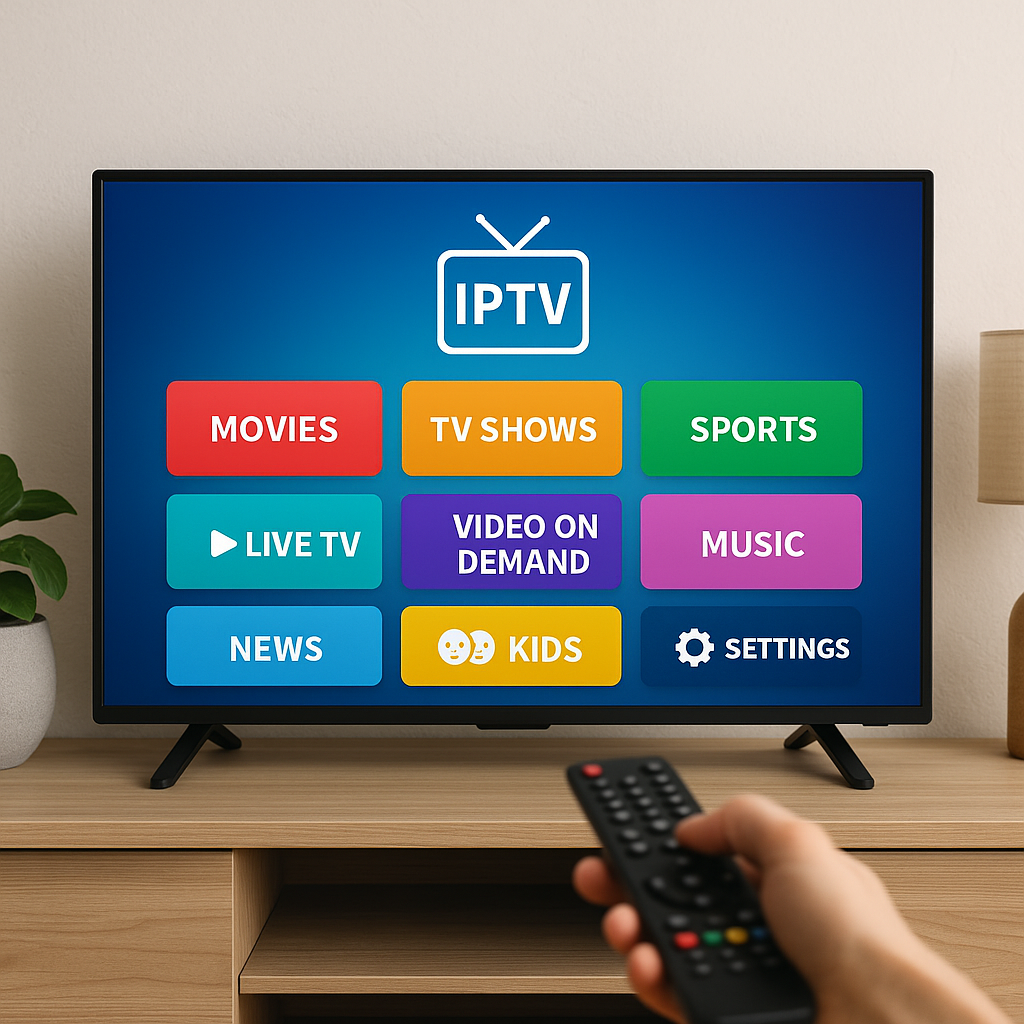
What is IPTV? In simple terms, IPTV is TV delivered through your internet connection instead of through traditional cable or satellite, and Primestelly helps make that experience feel simple for Canadian viewers.
If you have ever watched a movie on a streaming app, joined a live sports stream, or played a show on demand, you already understand part of the idea. IPTV uses the internet to bring live channels, movies, series, and sometimes replay features to your screen.
A lot of viewers in Canada are looking at IPTV because they want more choice, more international channels, better flexibility, and a viewing setup that works on modern devices. The good news is that you do not need to be technical to understand it.
This guide explains what IPTV means, how it works, what you need at home, how it compares with cable and streaming apps, and how to choose a service carefully. We will keep it practical, calm, and focused on everyday Canadian households.
By the end, you should feel much more confident about whether IPTV fits your home, your internet plan, your devices, and the way your family likes to watch TV.
What Is IPTV in Canada?
IPTV stands for Internet Protocol Television. That sounds technical, but the everyday meaning is simple: TV content is sent to you over the internet. Instead of a cable line bringing channels into a cable box, your internet connection brings channels and on-demand content into an app or device.
For Canadians, IPTV can be especially appealing because households are often juggling many different viewing needs. One person wants local news. Another wants hockey or soccer. Kids want family shows. Parents may want movies, international channels, or content in French, Arabic, Punjabi, Spanish, Italian, Portuguese, or other languages. IPTV can bring many of those viewing options into one place, depending on the provider and plan.
In most cases, IPTV is watched through an app installed on a Smart TV, Firestick, Android TV box, Apple TV, phone, tablet, or computer. Once the app is set up and the service is active, you open the app, choose what you want to watch, and stream it using your home internet.
People often use the word IPTV to describe three related things:
- The technology that sends TV through the internet
- The service or subscription that provides channels
- The app or player used to watch the content
- The playlist or login details connected to the service
- The full home setup that makes streaming work smoothly
So when someone asks what is IPTV, they may be asking about the technology, the service, or the viewing experience. This guide covers all three in plain language.
How IPTV Works Without the Tech Talk
Think of IPTV like ordering from a restaurant menu instead of waiting for a food truck to pass your house. With traditional cable, channels are delivered in a fixed way through a cable system. With IPTV, your app requests the channel, movie, or show you choose, and the stream is delivered through your internet connection.
When you click a channel, your device asks the IPTV service for that stream. The service sends small pieces of video data to your device. Your app puts those pieces together quickly so the picture appears as live TV. This is similar to how other streaming services work, but IPTV is often built around live television channels as well as on-demand content.
If you want a deeper technical explanation later, Primestelly also has a more detailed guide on how IPTV works in Canada. For now, the main thing to know is that IPTV depends on three everyday ingredients: a stable internet connection, a compatible device, and a reliable IPTV provider.
Here is the simple path your stream usually follows:
- You open your IPTV app on your TV or streaming device.
- You select a channel, movie, series episode, or replay option.
- The app requests the stream from your IPTV provider.
- Your internet connection receives the video data.
- Your device displays the content on your screen.
When everything is working well, it feels almost instant. When something is weak, such as Wi-Fi signal, internet speed, app settings, or provider stability, you may notice buffering, freezing, delays, or lower picture quality.
Live TV, VOD, and Catch-Up TV
One reason IPTV is popular is that it can combine several styles of viewing in one service. Not every provider offers every feature, but many IPTV plans include more than just live channels.
Here are the common IPTV viewing types:
- Live TV: Channels playing in real time, similar to cable television.
- VOD: Video on demand, such as movies and series you can start anytime.
- Catch-up TV: Replays of selected programs after they air live.
- Electronic program guide: A TV guide showing what is on now and next.
- Multi-device viewing: Access on supported devices, depending on your plan.
For many viewers, this blend is the main attraction. You can watch live sports or news when it matters, then switch to a movie or series later in the evening. If on-demand entertainment is important to your household, you may also enjoy reading about IPTV VOD in Canada and how movies and shows fit into the experience.
IPTV vs Cable TV in Canada
IPTV and cable TV can both give you live channels, but they do it in different ways. Cable usually relies on a traditional provider, a fixed channel package, and often a set-top box. IPTV relies on the internet, apps, and more flexible device choices.
For many Canadian households, the decision comes down to flexibility. Cable can feel familiar, especially for viewers who like a standard remote and a predictable channel lineup. IPTV can feel more modern because it works across different devices and often offers a wider mix of content.
| Feature | IPTV | Cable TV |
|---|---|---|
| Delivery | Uses internet connection | Uses cable infrastructure |
| Devices | Smart TVs, boxes, sticks, phones, tablets | Usually cable box and TV |
| Flexibility | Often more flexible | Often tied to provider packages |
| Channel variety | Can include local and international options | Depends on cable package |
| Setup | Usually app based | Often technician or hardware based |
The good news is that IPTV is not meant to be intimidating. Once set up, it can feel very familiar: open the app, choose a channel, and watch. The difference is mostly behind the scenes.
IPTV may be a strong fit if you want:
- More control over where you watch
- Access to international or specialty channels
- Live TV plus movies and series in one place
- A setup that works without a traditional cable box
- Options for travel, cottages, or secondary rooms
Cable may still appeal to viewers who prefer a traditional bundle, already have a good deal, or do not want to rely heavily on home internet. In most cases, the right choice depends on your household habits, internet quality, and the channels you actually watch.
IPTV vs Netflix and Crave
A common question is whether IPTV is the same as Netflix, Crave, Disney+, Prime Video, or other streaming apps. The answer is no, although they all use the internet. Netflix and Crave are mainly on-demand services. IPTV usually focuses on live TV channels plus other features like VOD, catch-up, and TV guides.
If your family only watches series and movies on demand, a regular streaming app may be enough. But if you want live channels, sports, news, international TV, and a more cable-like experience through the internet, IPTV may be more suitable.
Here is the simple difference:
- Netflix and Crave: Mostly movies, originals, and series on demand.
- IPTV: Live TV channels, often with VOD and guide features.
- Cable: Traditional live TV through a cable provider.
- Free apps: Limited channels or ad-supported content.
- Rental platforms: Pay separately for specific movies or shows.
Some households use both IPTV and streaming apps. For example, IPTV may cover live channels and international content, while Netflix or Crave covers certain exclusive shows. If you are comparing options, this guide to IPTV vs Netflix and Crave in Canada can help you think through the value.
The best setup is not always about choosing only one service. It is about choosing the combination that gives your household the most useful entertainment without making your monthly bills feel crowded.
What You Need to Watch IPTV
You do not need a complicated home theatre to watch IPTV. A lot of viewers already own most of what they need. The basic requirements are simple: internet, a device, an IPTV app or player, and an active subscription or login from your provider.
Here is a practical checklist:
- A stable home internet connection
- A Smart TV or streaming device
- An IPTV app or IPTV player
- Login details from your provider
- A comfortable remote or controller
- Optional wired connection for extra stability
The device you use can make a big difference. Some Smart TVs support IPTV apps directly. Others work better with a streaming stick or box. Phones and tablets are convenient for personal viewing, while living room devices are usually better for family viewing.
If you are starting from scratch, Primestelly has a helpful beginner IPTV roadmap for Canada that walks through the early decisions step by step. It is especially useful if you feel unsure about apps, devices, and internet speed.
Internet Speed for IPTV in Canada
Because IPTV uses the internet, speed and stability matter. But you do not always need the most expensive internet package. In most cases, you need enough speed for the picture quality you want, plus enough extra capacity for other people using the internet at the same time.
As a general starting point:
- Standard definition uses less speed and data
- HD needs more consistent bandwidth
- 4K needs a faster, steadier connection
- Multiple devices need more total household capacity
- Wi-Fi quality matters as much as advertised speed
If one person is watching IPTV while another is gaming, a third is on a video call, and someone else is downloading files, your connection may feel slower even if your plan looks strong on paper. That is why real-world performance matters more than the number printed on your bill.
For a clearer breakdown, read Primestelly’s guide to internet speed for IPTV in Canada. It explains what different picture qualities usually need and how to think about speed in a normal Canadian home.
Devices and IPTV Apps
IPTV can work on many devices, but the experience is not identical on all of them. A newer Smart TV may run apps smoothly. An older TV may feel slow. A dedicated Android TV box or Firestick can often make the experience easier because it is built for streaming apps.
Common IPTV devices include:
- Amazon Fire TV Stick
- Android TV boxes
- Google Chromecast with Google TV
- Apple TV
- Samsung and LG Smart TVs
- Android phones, iPhones, iPads, and tablets
The IPTV app is the software you use to enter your provider login and watch your content. Some apps are easier for beginners than others. Some offer better guides, favourites, parental controls, and playback settings. If you want a simple starting point, this article on best IPTV apps for beginners in Canada can help you avoid feeling overwhelmed.
In most cases, the best device is the one that feels comfortable, receives strong internet, supports the app you want, and is easy for your household to use every day.
How to Set Up IPTV Step by Step
Setting up IPTV is usually easier than people expect. The details vary depending on your device and provider, but the general process is similar. You install an app, enter your login details, let the app load your channels, and start watching.
Here is a beginner-friendly setup process:
- Check your internet: Make sure your connection is working well before installing anything.
- Choose your main device: Decide whether you will use a Smart TV, Firestick, Android box, Apple TV, phone, or tablet.
- Install an IPTV app: Download a compatible app from your device app store or approved source.
- Enter your details: Add the login, portal, M3U playlist, or Xtream Codes information from your provider.
- Wait for loading: Give the app time to load channels, categories, and guide information.
- Create favourites: Save the channels your family uses most often.
- Test at busy times: Try streaming during evenings or weekends when your home internet is most active.
If your provider gives you an M3U playlist, you may need to paste or enter that link into an IPTV player. If that sounds unfamiliar, do not worry. Primestelly has a simple guide on how to load an M3U playlist in Canada.
Some devices have their own installation steps. For example, Samsung, LG, Apple TV, Chromecast, Android boxes, and Firestick devices may each use different app stores and menus. The important thing is to follow the instructions for your specific device and avoid downloading apps from sources you do not trust.
After setup, spend a few minutes organizing the app. A good favourites list can make IPTV feel much easier for everyone in the home. Put local news, sports, kids channels, movie channels, and international favourites where they are easy to find.
Is IPTV Legal and Safe in Canada?
IPTV itself is a legal technology. Many legitimate companies use internet delivery to provide television and streaming content. The safety question depends on the provider, the rights to the content, payment practices, privacy, and how transparent the service is.
This is an important distinction. Asking what is IPTV is like asking what is a car. A car is legal, but how someone uses it matters. IPTV is a delivery method. Some services operate properly and professionally. Others may be unreliable, misleading, or unsafe.
When evaluating any IPTV service in Canada, look for signs of professionalism:
- Clear service information
- Responsive support
- Reasonable trial or testing options
- No pressure tactics
- Secure payment habits
- Realistic performance claims
For more detail, read this helpful guide on the signs of a legit IPTV service in Canada. It explains the practical clues that can help everyday viewers make safer decisions.
You should also be cautious of services that promise everything for an unbelievably low price, refuse to answer basic questions, or push you to pay quickly before you can test anything. The good news is that a little caution goes a long way. This guide on how to avoid IPTV scams in Canada is worth reading before you commit to any provider.
How to Choose a Good IPTV Provider
Choosing the right IPTV provider is the part that matters most. A good device and strong internet cannot fix a poor service. A quality provider should offer stable streams, clear instructions, helpful support, and channel options that match what you actually watch.
Before you buy, think about your household. Do you mainly watch sports? Do you need French channels? Do you want Arabic, South Asian, European, African, Caribbean, or Latin American content? Do you care about 4K? Do your kids need age-appropriate options? Do you watch mostly on one TV or on several devices?
A practical provider checklist includes:
- Channel lineup that fits your needs
- Good performance during evenings and weekends
- Support for your preferred devices
- Helpful setup instructions
- Fair trial or testing options
- Clear renewal and payment process
- Friendly support when something goes wrong
If you are comparing providers, Primestelly’s guide on how to choose the right IPTV provider in Canada gives a more detailed framework. It can help you separate real value from flashy claims.
Testing is also important. Do not judge a service only from screenshots or channel counts. Test the channels you care about, at the times you actually watch, on the device you plan to use. A service that looks great at noon may feel different during a busy Saturday night sports event.
For that reason, this resource on how to test IPTV quality before buying is especially useful. It explains how to check picture quality, guide loading, buffering, channel switching, and support before making a longer commitment.
Common Mistakes to Avoid
IPTV is simple once it is running, but beginners can still make a few avoidable mistakes. The good news is that most of them are easy to prevent with a little planning.
Here are the most common mistakes:
- Choosing only by price: The cheapest option is not always stable or safe.
- Ignoring internet quality: Weak Wi-Fi can ruin even a good IPTV service.
- Using an old device: Slow hardware can cause app crashes and delays.
- Skipping a test: Always test the channels and times that matter to you.
- Overloading one connection: Too many streams can affect performance.
- Not saving favourites: A messy channel list can frustrate the whole family.
- Forgetting parental controls: Families should organize content thoughtfully.
Families should pay special attention to controls and categories. IPTV can include a wide variety of content, and not all of it is meant for children. If you have kids at home, Primestelly’s IPTV parental controls guide for Canada explains practical ways to keep viewing more age appropriate.
Another common mistake is assuming buffering always means the provider is bad. Sometimes it is the provider. But in many homes, the issue is Wi-Fi distance, router age, too many devices, or a crowded internet connection. If your IPTV struggles, start with the simplest checks before changing everything.
Try these quick fixes first:
- Restart your modem, router, and streaming device
- Move the device closer to your router
- Use Ethernet if possible
- Close unused apps in the background
- Lower stream quality temporarily
- Test another app or device
If buffering or freezing continues, this guide to fix IPTV lag and freezing in Canada can help you work through the problem calmly.
IPTV Quality, Data Usage, and Home Wi-Fi
IPTV quality depends on several pieces working together. Your provider supplies the stream. Your internet plan carries it. Your router distributes it around your home. Your device decodes it. Your app displays it. If one piece is weak, the experience can suffer.
Picture quality is usually affected by:
- Internet speed and stability
- Wi-Fi signal strength
- Router quality and placement
- Device processing power
- App settings
- Provider stream quality
Data usage is another thing Canadians should understand, especially if their internet plan has limits. IPTV uses data because video is being delivered through your connection. Higher quality streams use more data than lower quality streams. Watching for many hours a day also adds up.
If you are unsure how much data IPTV might use, read IPTV data usage explained for Canada. It breaks down the topic in a way that is easier to connect with real viewing habits.
Wi-Fi is often the hidden issue. Your internet speed test may look good near the router, but your TV in the basement or bedroom may receive a weaker signal. Walls, floors, distance, older routers, and neighbouring networks can all affect performance. For practical home improvements, this guide on improving Wi-Fi for IPTV streaming is a great next step.
In most cases, you can improve IPTV performance without replacing everything. A better router location, an Ethernet cable, a mesh Wi-Fi system, or a newer streaming device can make a noticeable difference.
What Canadians Can Watch With IPTV
The exact channels and content depend on the provider, but IPTV can be attractive because it often brings together a wide variety of viewing options. Many Canadian households are multicultural, multilingual, and spread across different interests. IPTV can be a practical way to bring that variety into one interface.
Common IPTV content categories may include:
- Canadian and local channels
- Sports and live events
- Movies and series
- News and documentary channels
- Kids and family programming
- French-language channels
- International and global channels
For French-speaking households, IPTV can be especially helpful when the channel lineup includes Canadian French and international French content. You can learn more in this guide to IPTV for French channels in Canada.
Many viewers also want channels from around the world, especially if they are staying connected to culture, language, family, sports, or news from another country. If that is important to you, Primestelly’s article on international and global IPTV channels in Canada is a helpful read.
The key is to choose based on what you actually watch. A provider may advertise thousands of channels, but the number matters less than whether your favourite channels are stable, easy to find, and available when you want them.
Final Thoughts
So, what is IPTV? It is a modern way to watch live TV, movies, series, and sometimes replay content through your internet connection instead of a traditional cable line. For many Canadian viewers, IPTV offers flexibility, variety, and convenience, especially when it is paired with good internet, the right device, and a provider that takes support seriously. If you are ready to explore IPTV in a simple, friendly way, Primestelly is here to help you compare your options, understand your setup, and enjoy streaming with more confidence.
FAQ
What is IPTV in simple words?
IPTV is television delivered through the internet. Instead of using a traditional cable box or satellite dish, you watch channels and content through an app on a Smart TV, streaming device, phone, tablet, or computer.
Do I need special equipment for IPTV in Canada?
In most cases, you need a stable internet connection, a compatible device, an IPTV app, and login details from your provider. Many people use a Smart TV, Firestick, Android TV box, Apple TV, Chromecast, phone, or tablet.
Is IPTV the same as Netflix?
No. Netflix is mainly an on-demand streaming service for movies and series. IPTV usually includes live TV channels and may also include VOD, catch-up TV, and a program guide, depending on the provider.
Why does IPTV buffer or freeze sometimes?
Buffering can happen because of weak Wi-Fi, slow internet, an overloaded router, an older device, app problems, or provider issues. Start by restarting your equipment, testing your speed, moving closer to the router, or using Ethernet.
How do I choose the best IPTV service in Canada?
Choose a provider based on stability, support, device compatibility, channel lineup, testing options, and clear instructions. Avoid choosing only by price, and always test the service on your own device before committing long term.