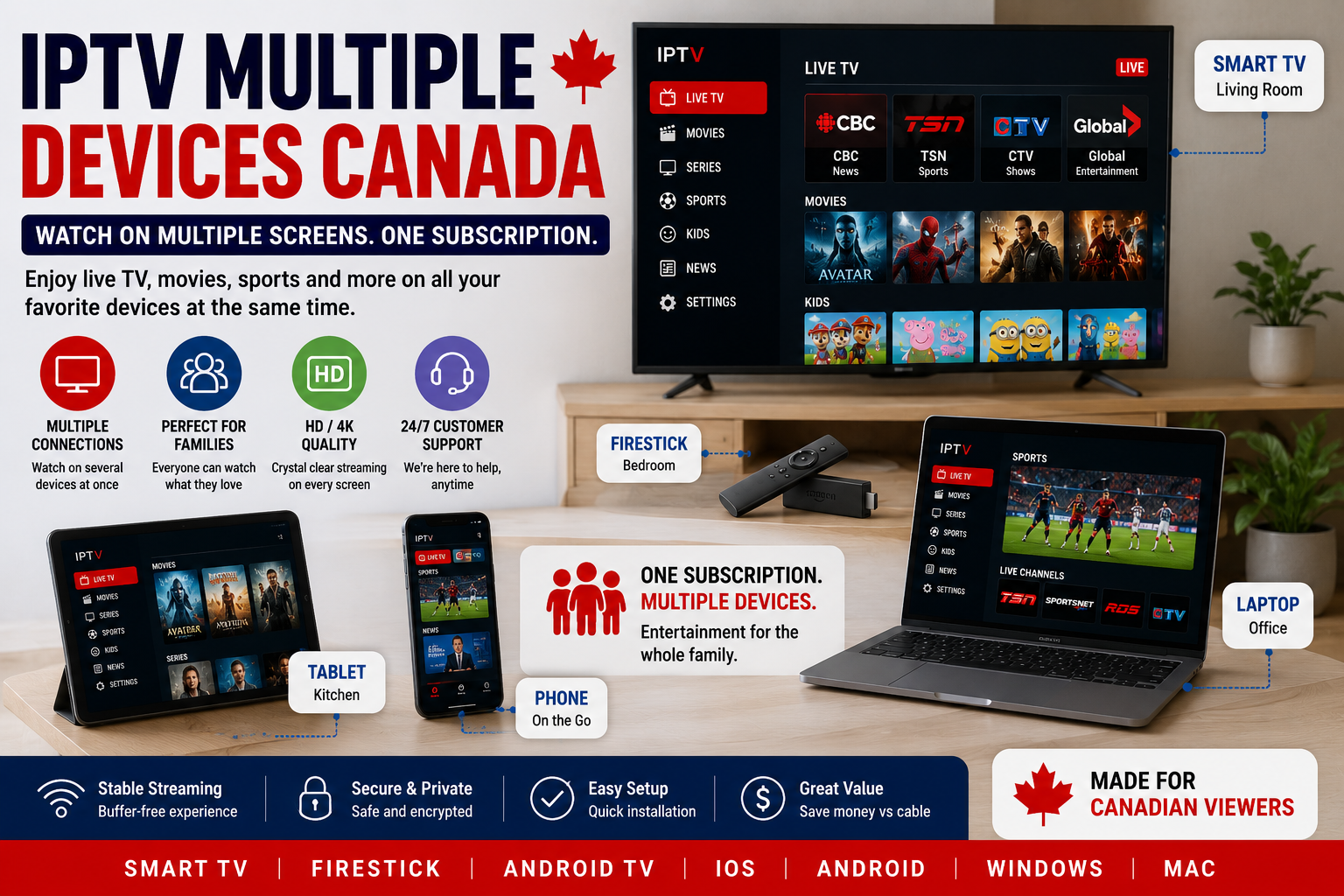
Many Canadian households no longer watch TV on only one screen. One person may watch sports in the living room, another may stream movies in the bedroom, while someone else watches content on a phone or tablet. Because of this, one of the most common questions people ask before buying IPTV is simple: how many devices can you use with IPTV in Canada?
The answer depends on the IPTV provider, the plan, and the number of connections included. Some IPTV subscriptions allow one active connection at a time. Others may offer multi-connection plans for families, shared homes, or users with several TVs. That is why understanding IPTV multiple devices Canada is important before choosing a plan.
IPTV is flexible because it can work on many devices. You can usually install an IPTV app on Smart TVs, Firestick, Android TV boxes, phones, tablets, and computers. However, installing IPTV on several devices is not always the same as watching on several devices at the same time. This is where many users get confused.
For example, you may have IPTV installed on your Smart TV and your phone. However, if your subscription includes only one connection, only one device may stream at a time. If two devices try to play content at the same time, one stream may stop, fail to load, or create connection problems.
If you are comparing IPTV options for Canadian viewing, you can start with the main Best IPTV Canada page from Primestelly IPTV. This helps you understand how IPTV works, what devices are commonly supported, and why choosing the right plan matters.
In this guide, you will learn how IPTV connections work, how device limits vary by plan, which services are best for multiple TVs and devices, whether you can share IPTV with family, and how to set everything up correctly.
Multi-Device IPTV — How Many Connections Do You Get?
When people ask how many devices they can use with IPTV, they are usually asking about connections. A connection means one active stream running at one time. This is different from the number of devices where the IPTV app is installed.
For example, you may install the IPTV app on five devices. You could have it on a Smart TV, Firestick, Android box, phone, and tablet. However, if your IPTV plan includes one connection, you can usually watch on only one of those devices at a time.
This is why IPTV multiple devices Canada plans are important for families and shared homes. If several people want to watch at the same time, one connection may not be enough. A single person may be fine with one connection, but a family may need two, three, or more.
A one-connection plan is usually enough if you mostly watch alone. It can also work for couples or small households that use one main TV. However, it becomes limited when different people want to watch different content at the same time.
A two-connection plan is better for homes with two regular viewers. For example, one person can watch live TV in the living room while another watches movies on a tablet. This setup gives more freedom without needing a completely separate subscription.
A three-connection or multi-connection plan is better for families. It allows different people to watch on different screens at the same time. This can be useful when parents, children, or roommates have different viewing habits.
The key point is simple: the number of devices you can install IPTV on may be different from the number of devices you can watch at the same time.
Here is the difference:
| Term | Meaning |
|---|---|
| Installed devices | Devices where the IPTV app is added |
| Active connections | Devices streaming at the same time |
| Multi-device support | Ability to use IPTV across different device types |
| Multi-connection plan | A plan that allows more than one active stream |
Before buying an IPTV plan, always ask how many active connections are included. Do not assume that installing the app on several devices means everyone can watch at once.
This matters especially for families. If one person wants sports, another wants cartoons, and another wants a movie, a one-connection plan may create problems. A multi-connection plan can make the experience smoother.
Primestelly IPTV can help Canadian users choose a plan based on how many devices they actually use. This is better than choosing blindly and then realizing the plan is too limited.
Provider Comparison — Device Limits by Plan
Device limits vary from one IPTV provider to another. Some providers offer only one connection per subscription. Others offer extra connections for an added cost. Some providers may even create family plans for homes that need multiple active streams.
Because every provider is different, you should compare device limits before paying. Many users focus only on channel numbers or price, but connection limits can affect the daily experience just as much.
A cheap plan may look good at first. However, if it allows only one connection and your family needs three, it may not be the best choice. On the other hand, a slightly higher plan with multiple connections may give better value because it supports more users in the household.
Here is a simple comparison of common IPTV plan types:
| Plan Type | Typical Device Use | Best For |
|---|---|---|
| 1 connection | One active stream at a time | Single users or one-TV homes |
| 2 connections | Two active streams at once | Couples or small households |
| 3 connections | Three active streams at once | Families with several devices |
| 4+ connections | Several active streams | Larger households or shared homes |
A one-connection plan is usually the most basic option. It works well if you mainly watch on one TV. You can still install the app on other devices in some cases, but you should use only one at a time.
A two-connection plan gives more flexibility. It works well if one person watches TV in the living room while another watches on a phone, tablet, or bedroom TV.
A three-connection plan is better for families. It allows more freedom during busy viewing times, especially evenings and weekends.
A larger multi-connection plan may be useful for homes with many TVs or several family members. However, you should not buy more connections than you need. The best plan is the one that matches your real viewing habits.
When comparing providers, ask these questions:
- How many active connections are included?
- Can I install the app on more than one device?
- Can two devices stream at the same time?
- Is there an extra cost for more connections?
- Do all connections use the same login details?
- Can I upgrade later if I need more?
- What happens if too many devices stream at once?
- Does the provider support Smart TV, Firestick, Android, iOS, and tablets?
These questions help you avoid confusion after buying. A reliable provider should explain connection limits clearly.
You should also think about internet speed. Even if your IPTV plan allows multiple connections, your home internet must be strong enough to support several streams. Watching one HD stream is different from watching three HD or 4K streams at the same time.
If your internet connection is weak, multiple streams may cause buffering. This does not always mean the provider is bad. It may mean your home network needs improvement.
For users who plan to stream on Firestick, the IPTV Firestick Canada guide can help explain how Firestick fits into a multi-device IPTV setup.
Best IPTV Services for Multiple TVs and Devices
The best IPTV services for multiple TVs and devices are the ones that offer clear connection options, strong device compatibility, stable streams, and helpful support. Multi-device IPTV should not feel complicated. It should be easy to understand and easy to manage.
A good IPTV provider should support the most common devices used in Canadian homes. These include Smart TVs, Firestick, Android TV boxes, Android phones, iPhones, iPads, tablets, laptops, and desktop computers.
However, device support alone is not enough. The service should also work smoothly across these devices. A provider may say it supports many devices, but if setup is confusing or support is slow, the experience can still be frustrating.
The best IPTV services for multiple devices usually offer:
- Clear connection limits
- Multiple plan options
- Smart TV support
- Firestick support
- Android TV support
- Mobile device support
- Easy setup instructions
- Stable live TV streams
- Helpful support
- Upgrade options if more connections are needed
Primestelly IPTV is a strong option for Canadian users who want IPTV across several devices. It is built for viewers who want flexibility, simple setup, and support for common home streaming devices.
For example, a family may use a Smart TV in the living room, a Firestick in the bedroom, and a tablet for kids’ content. With the right IPTV plan, this setup can be much more flexible than traditional cable.
Smart TVs are popular because they do not always require extra hardware. If the TV supports a compatible IPTV app, users can install the app directly. This makes the setup clean and simple. You can learn more from the IPTV Smart TV Canada guide.
Firestick is also popular because it is affordable, portable, and easy to use. Many Canadian IPTV users choose Firestick because it works with many IPTV apps and can turn a regular TV into a streaming device.
Android TV boxes are another option. They often provide more flexibility, more app choices, and stronger performance than older Smart TVs. They can be useful for users who want a dedicated IPTV device.
Phones and tablets are useful for watching on the go. They are also helpful when someone wants to watch content away from the main TV. However, mobile viewing should still follow the provider’s connection rules.
A strong multi-device IPTV setup should be simple. You should know which device is used in each room, which app works best, and how many people can watch at the same time.
For families, this is especially important. You do not want the service to stop every time another person opens the app. Choosing the right number of connections from the start can prevent daily frustration.
Can You Share Your IPTV Account with Family?
Yes, you may be able to share your IPTV account with family, but it depends on your provider’s rules and your subscription plan. This is one of the most important points to understand before buying IPTV.
Many IPTV users think that one login can be shared freely with everyone. However, most IPTV subscriptions are based on connection limits. If your plan includes one connection, only one person should stream at a time. If your plan includes two connections, two people may stream at once.
Sharing inside the same household is usually the most common use case. For example, parents and children may use the same IPTV subscription on different devices at home. This can work well if the plan includes enough active connections.
However, sharing outside the household can create problems. If too many people use the same login from different places, the service may stop working properly. Some providers may also limit account sharing to protect server stability and prevent abuse.
That is why it is better to be honest about your needs. If you need IPTV for a family, tell the provider. If you need multiple connections, choose a plan that supports them. This is much better than trying to use one connection for several people and then having problems.
A family setup may look like this:
| Household Member | Device | Content Type |
|---|---|---|
| Parent 1 | Living room Smart TV | News or movies |
| Parent 2 | Bedroom Firestick | Series or live TV |
| Child | Tablet | Kids’ content |
| Teenager | Phone or laptop | Sports or entertainment |
In this type of household, one connection may not be enough. A multi-connection plan makes more sense because each person may want to watch at different times or even at the same time.
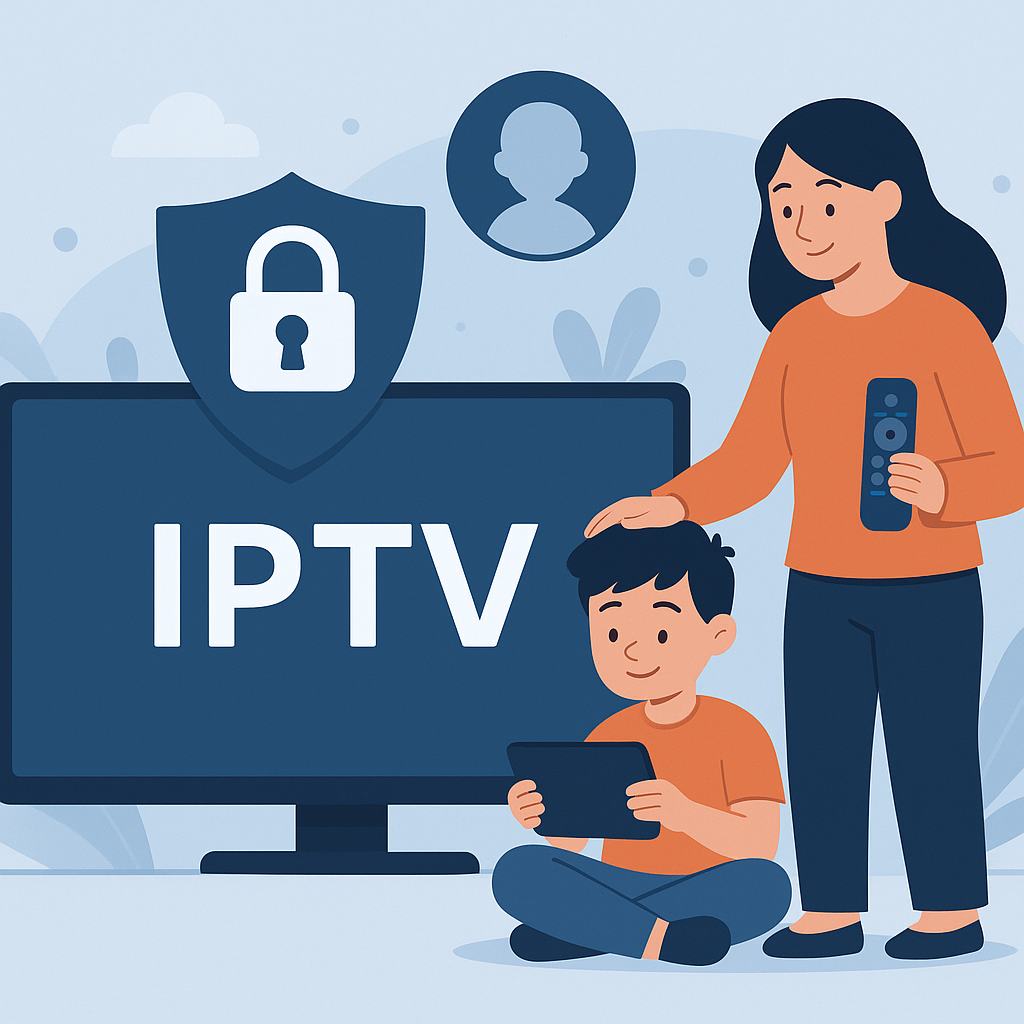
If you are choosing IPTV for family use, the IPTV for families Canada guide can help you understand family-friendly features, kids’ content, parental controls, and multi-device viewing.
You should also consider privacy and control. If many people use the same account, make sure the app settings are organized. Some apps allow favourite lists, category locking, or PIN protection. This can help families manage what different users can access.
Sharing can be convenient, but it should be done properly. A good IPTV plan should match the number of users and screens in your home.
How to Set Up IPTV on Multiple Devices
Setting up IPTV on multiple devices is not difficult, but it should be done in the right order. A clean setup helps avoid login errors, connection problems, app confusion, and buffering.
The first step is to choose your main device. This is usually the screen you use most often, such as a Smart TV, Firestick, or Android TV box. Set up IPTV on that device first and make sure everything works properly.
Next, install a compatible IPTV app. The best app depends on your device. Some apps work better on Smart TVs, while others work better on Firestick or Android TV. Your provider should recommend the right app for your setup.
After installing the app, enter your login details carefully. Most IPTV services use either Xtream Codes login, M3U playlist, or portal details depending on the app and provider. Make sure there are no typing mistakes. One wrong letter or number can stop the login from working.
Once the first device works, test live TV, movies, series, and the EPG if available. Check whether channels load properly and whether the stream is stable.
After that, move to the second device. Install the app, enter the same type of login details if allowed, and test again. Continue this process for each device you want to use.
Here is a simple setup order:
- Choose your main device
- Install the recommended IPTV app
- Enter your login details
- Test live TV
- Test movies and series
- Check EPG if available
- Repeat on the next device
- Confirm how many devices can stream at once
- Contact support if something does not work
If you are using a one-connection plan, avoid streaming on two devices at the same time. You can still switch between devices, but only one should be active at once. For example, you can watch on your Smart TV, stop the stream, and later watch on your phone.
If you have a multi-connection plan, test simultaneous streaming. Open one stream on the TV and another on a phone or tablet. If both work smoothly, your setup is ready.
Your internet connection also matters. Multiple IPTV streams can use more bandwidth. If several people are watching at the same time, use a strong Wi-Fi connection or Ethernet where possible. Ethernet can be more stable than Wi-Fi, especially for the main TV.
Here are a few tips for better multi-device IPTV performance:
- Restart your router regularly
- Keep your IPTV app updated
- Use Ethernet for the main TV when possible
- Avoid too many background apps
- Clear cache on Firestick or Android devices
- Use a strong Wi-Fi signal
- Do not exceed your connection limit
- Ask support before changing apps
A proper setup makes IPTV multiple devices Canada much easier. Instead of guessing, you will know which devices work, how many streams are allowed, and how to avoid connection problems.
Primestelly IPTV can help users choose the right setup for their devices. This is useful for households that want IPTV on several screens but do not want technical confusion.
FAQ
What does IPTV multiple devices Canada mean?
IPTV multiple devices Canada means using IPTV across different devices in a Canadian household, such as Smart TVs, Firestick, Android TV boxes, phones, tablets, and computers. It can also refer to plans that allow more than one active stream at the same time.
How many devices can I use with IPTV in Canada?
It depends on your IPTV provider and plan. Some plans allow one active connection, while others allow two, three, or more. You may be able to install the app on several devices, but the number of devices that can stream at the same time depends on your connection limit.
Can I install IPTV on more than one device?
Yes, in many cases, you can install IPTV apps on more than one device. However, installation is different from simultaneous streaming. Your plan may allow the app on multiple devices but only one active stream at a time.
Can two people watch IPTV at the same time?
Yes, but only if your IPTV plan includes at least two active connections. If your plan includes one connection, two people watching at the same time may cause one stream to stop or fail.
What is the best IPTV plan for families?
The best IPTV plan for families is usually a multi-connection plan. Families often need more than one active stream because different people may want to watch different content on different devices at the same time.
Can I use IPTV on Smart TV and Firestick?
Yes, many IPTV users in Canada use IPTV on both Smart TV and Firestick. However, you should check your provider’s connection rules if you want to watch on both devices at the same time.
Can I share my IPTV account with family?
You can usually share IPTV inside your household if your plan supports enough connections. However, sharing outside the home may break provider rules or create connection problems. Always ask your provider before sharing account access.
Why does my IPTV stop when another device starts streaming?
This usually happens when your plan allows only one active connection. If another device starts streaming, the first stream may stop. To fix this, you may need a plan with more connections.
Do multiple IPTV devices need faster internet?
Yes, multiple streams can use more bandwidth. If several devices stream at the same time, your internet connection should be strong enough to support them. Weak Wi-Fi or slow internet can cause buffering.
What devices work best for IPTV in Canada?
Popular IPTV devices in Canada include Smart TVs, Firestick, Android TV boxes, Android phones, iPhones, iPads, tablets, laptops, and desktop computers. The best device depends on your app, internet connection, and viewing habits.
Is Firestick good for multi-device IPTV?
Yes, Firestick is a popular IPTV device because it is easy to use, portable, and compatible with many IPTV apps. It works well as part of a multi-device setup when your plan supports the number of connections you need.
Is Smart TV good for IPTV?
Yes, Smart TVs can be good for IPTV if they support a compatible IPTV app. They are convenient because you may not need extra hardware. However, older Smart TVs may be slower, so some users prefer Firestick or Android TV boxes.
Can I upgrade my IPTV plan if I need more devices?
Many providers allow users to upgrade to more connections, but this depends on the provider. Before buying, ask whether you can upgrade later if your household needs more active streams.
What should I ask before buying IPTV for multiple devices?
Ask how many active connections are included, which devices are supported, whether you can upgrade, what apps are recommended, and what happens if too many devices stream at the same time.
What is the easiest way to manage IPTV on several devices?
The easiest way is to choose the correct number of connections, use recommended IPTV apps, keep login details organized, test each device one by one, and avoid exceeding your plan’s connection limit.
Does Primestelly IPTV support multiple devices?
Primestelly IPTV is designed for Canadian users who want flexible IPTV access across common devices. The best plan depends on how many screens you want to use and how many people need to watch at the same time.
Should I choose one connection or multiple connections?
Choose one connection if you mostly watch alone or use one screen at a time. Choose multiple connections if your household has several viewers, multiple TVs, or family members who want to watch different content at the same time.
Is IPTV better than cable for multiple devices?
IPTV can be more flexible than cable because it works through apps and internet-connected devices. Instead of needing traditional cable boxes in each room, users can watch on Smart TVs, Firestick, phones, tablets, and computers, depending on the plan.