Setting up IPTV Smart TV Canada has become one of the most popular ways to stream live TV, movies, and sports without relying on traditional cable services. Today, more users across Canada are switching to IPTV because it offers flexibility, better content access, and significantly lower costs.
However, many beginners still feel confused when trying to install IPTV on their Smart TVs. While the process may seem technical at first, it is actually very simple when you follow the right steps. If you are also interested in accessing international content, you can explore our IPTV service for more streaming options.
In this complete guide, you will learn how to install IPTV on Samsung and LG Smart TVs in Canada step by step. In addition, you will discover tips to improve streaming quality, avoid buffering, and choose the best setup for your needs.
Why IPTV Smart TV Canada Is Growing So Fast
Over the past few years, IPTV has transformed how people consume television content in Canada. Unlike traditional cable, IPTV uses the internet to deliver channels and on-demand content directly to your device.
As a result, users now have more control over what they watch and when they watch it.
Key Advantages of IPTV
- Lower cost compared to cable subscriptions
- Access to international and local Canadian channels
- Thousands of movies and TV series on demand
- Compatibility with multiple devices
- No long-term contracts or hidden fees
Because of these benefits, IPTV continues to grow rapidly across Canada in 2026.
What You Need Before Installing IPTV on Smart TV
Before starting the setup process, it is important to prepare everything you need. This will help you avoid errors and complete the installation quickly.
Requirements for IPTV Smart TV Canada
- A Samsung or LG Smart TV
- Stable internet connection (minimum 15 Mbps recommended)
- IPTV subscription (Xtream Codes or M3U link)
- IPTV player app installed on your TV
Once you have these essentials ready, you can proceed with the installation process.
How to Install IPTV on Samsung Smart TV (Step-by-Step)
Samsung Smart TVs are among the most popular devices for IPTV streaming in Canada. Fortunately, installing IPTV on Samsung is straightforward.
Step 1: Open Samsung Smart Hub
First, turn on your Samsung TV and access the Smart Hub.
- Press the Home button on your remote
- Navigate to Apps
- Open the search bar
This is where you will find IPTV apps.
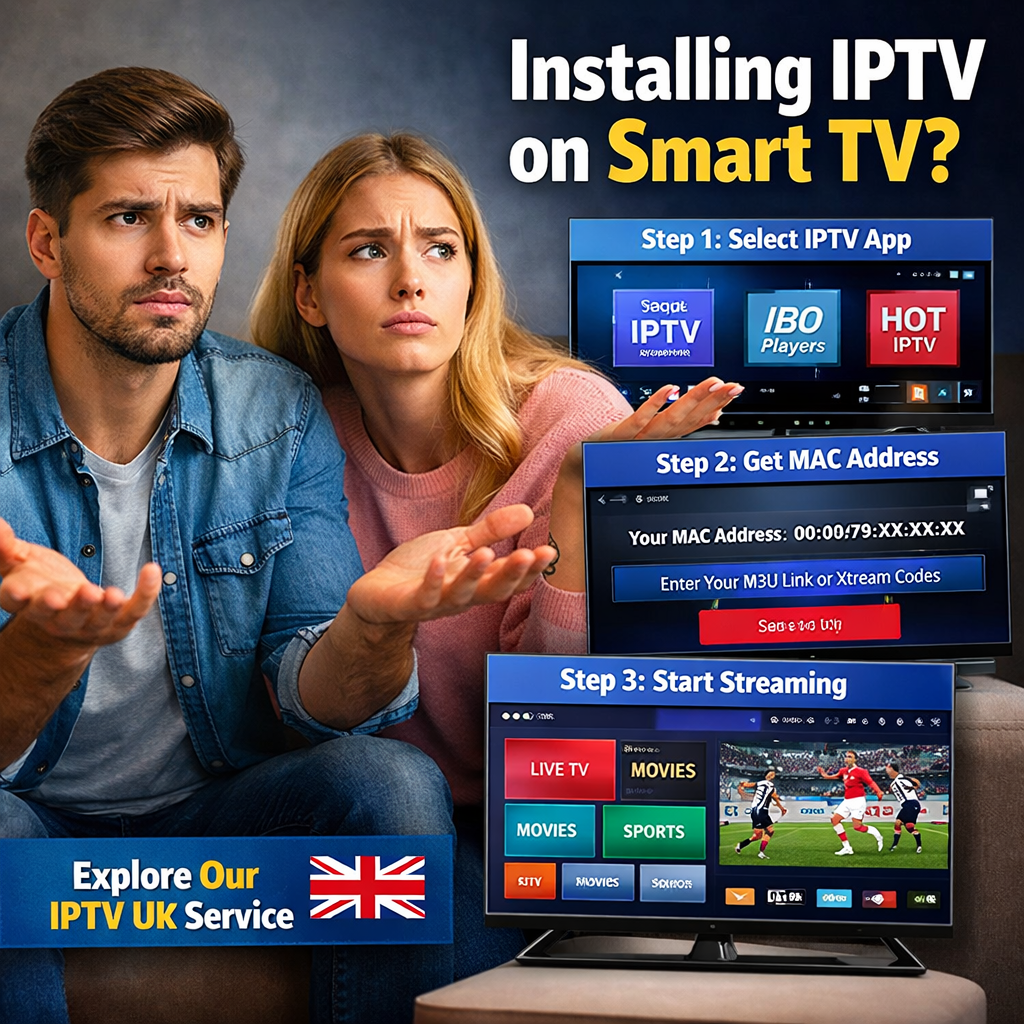
Step 2: Download an IPTV App
Next, search for a compatible IPTV player.
Recommended Apps for Samsung
- IPTV Smarters Pro (if available)
- IBO Player
- HOT IPTV
Once you find the app, click Install and wait for the download to complete.
Step 3: Launch the App and Get Your MAC Address
After installation, open the app.
At this stage, the app will display a MAC address. This is a unique code used to activate your IPTV service.
Make sure to write it down or keep it on screen.
Step 4: Upload IPTV Playlist
Now, you need to connect your IPTV subscription.
- Visit the activation website provided by the app
- Enter your MAC address
- Upload your M3U playlist or IPTV login details
- Save your settings
Step 5: Restart and Start Streaming
Finally:
- Restart the IPTV app
- Wait for channels to load
Within seconds, you will have full access to live TV, movies, and series.
How to Install IPTV on LG Smart TV (Step-by-Step)
LG Smart TVs use a slightly different system, but the setup process is very similar.
Step 1: Open LG Content Store
Start by accessing the LG app store.
- Press the Home button
- Open LG Content Store
- Use the search function
Step 2: Install IPTV App
Search for IPTV-compatible apps.
Best Apps for LG Smart TV
- IBO Player
- HOT IPTV
- Smart IPTV
Click Install and wait for the app to download.
Step 3: Open App and Get MAC Address
After installation:
- Open the app
- Note your MAC address
Step 4: Upload Your IPTV Subscription
Next:
- Visit the activation portal
- Enter your MAC address
- Upload your playlist or login credentials
Step 5: Restart the App
Restart the IPTV app, and your content will load automatically.
Now you are ready to stream IPTV on your LG Smart TV.
Best IPTV Apps for Smart TV Canada (2026)
Choosing the right IPTV app plays a huge role in your experience.
Top IPTV Apps
- IPTV Smarters Pro
- IBO Player
- HOT IPTV
- Smart IPTV
Each app offers different features, so you can choose based on your preference.
Tips to Improve IPTV Streaming Quality
Even after installing IPTV, you may want to optimize performance.
Best Practices
- Use a high-speed internet connection
- Prefer Ethernet cable instead of Wi-Fi
- Restart your TV and router regularly
- Clear app cache when possible
- Use a VPN for better stability
These steps will help reduce buffering and improve performance. If you are still experiencing issues, you can explore our best IPTV Canada service or follow our complete IPTV setup guide in Canada to make sure everything is configured correctly.
Common IPTV Problems and How to Fix Them
Even with the correct setup, issues can still happen.
IPTV Not Loading
- Check internet connection
- Verify login details
- Restart the app
IPTV Buffering
- Use a VPN
- Reduce streaming quality
- Switch server
App Crashing
- Reinstall the app
- Update TV software
- Try a different IPTV player
IPTV Smart TV vs Firestick – Which One Is Better?
Both Smart TVs and Firestick are great for IPTV.
Smart TV Advantages
- No extra device needed
- Easy setup
- Clean interface
Firestick Advantages
- More app options
- Better performance
- More customization
If you want simplicity, Smart TV is perfect. However, if you want more control, Firestick is a better option.
Is IPTV Legal in Canada?
IPTV technology itself is legal in many countries, including Canada. However, the legality of an Best IPTV subscription depends largely on the content provider and whether they have the proper rights to distribute channels and media. This means that while using IPTV as a technology is completely fine, accessing unauthorized or unlicensed content may raise legal concerns.
Therefore, always make sure to:
- Use trusted IPTV services
- Avoid suspicious providers
- Protect your privacy
Why IPTV Is the Future of Entertainment in Canada
IPTV continues to grow because it offers more flexibility than traditional TV.
Key Reasons
- No contracts
- Unlimited content access
- Multi-device compatibility
- Affordable pricing
Because of these advantages, IPTV is quickly replacing cable TV in Canada.
Final Thoughts
Installing IPTV Smart TV Canada is simple and fast once you understand the process. Whether you are using a Samsung or LG Smart TV, you can complete the setup in just a few minutes.
To summarize:
- Install IPTV app
- Get MAC address
- Upload playlist
- Restart app
- Start streaming
Once everything is set up, you can enjoy a seamless IPTV experience with high-quality streaming anytime.
FAQ – IPTV Smart TV Canada
How do I install IPTV on Samsung Smart TV?
Install an IPTV app, get your MAC address, upload your playlist, and restart the app.
Can I install IPTV on LG Smart TV?
Yes, you can install apps like IBO Player or HOT IPTV and connect your IPTV subscription.
What is the best IPTV app for Smart TV?
IBO Player and IPTV Smarters Pro are among the best options.
Do I need a VPN for IPTV in Canada?
Using a VPN is recommended to improve privacy and avoid ISP throttling.