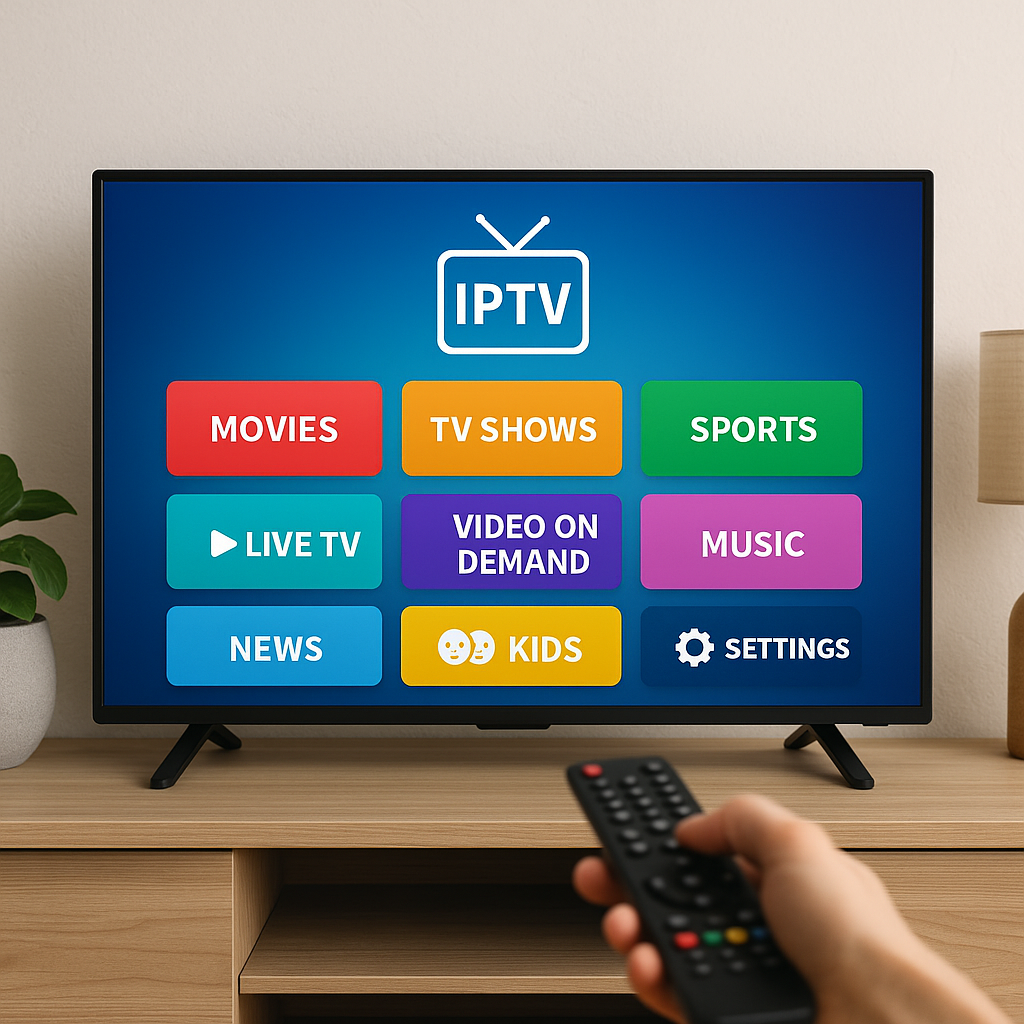
How IPTV works is simpler than it sounds: television channels, movies, and series are delivered through your internet connection instead of a traditional cable line or satellite dish. At Primestelly, we help Canadian viewers enjoy premium IPTV in a way that feels easy, reliable, and familiar.
If you have ever watched Netflix, YouTube, Crave, or a live sports stream, you already understand the basic idea. IPTV uses the same internet foundation, but it is organized around live TV channels, video-on-demand libraries, program guides, and streaming apps built for a TV-like experience.
This guide is a technical overview, but it is written for everyday viewers, not engineers. We will explain what happens behind the scenes when you click a channel, why buffering happens, what an IPTV app actually does, and how your internet speed, Wi-Fi, device, and player all work together.
The good news is that you do not need to memorize technical terms to enjoy IPTV. In most cases, a stable internet connection, the right app, and a quality IPTV service are enough to make streaming feel smooth at home, in a condo, at a cottage, or even on the go.
By the end, you will understand how IPTV works from the channel source to your screen, and you will know what to adjust if the picture is not as sharp or stable as you want.
What IPTV Means in Plain English
IPTV stands for Internet Protocol Television. That simply means TV delivered using internet data. Instead of receiving channels through a coaxial cable from a cable company or a signal from a satellite dish, your device receives video in small digital pieces through your home internet connection.
Those pieces are reassembled by your IPTV app or player into a live picture and sound. To you, it looks like switching from one channel to another. Behind the scenes, your device is requesting data, receiving it, buffering a little of it, decoding it, and displaying it on your TV, phone, tablet, or streaming box.
A lot of viewers in Canada choose IPTV because it can bring together different types of content in one place:
- Live Canadian and international TV channels
- Sports, news, entertainment, and kids programming
- Movies and series on demand
- Multilingual channel packages
- Electronic program guides
- Streaming on Smart TVs, Firestick, Android boxes, phones, and tablets
IPTV is not one single device or one single app. It is a delivery method. Your IPTV experience depends on several pieces working together: the service provider, the servers, the playlist or login format, the app, your device, your internet plan, and your home network.
If you are completely new to the idea, the IPTV beginner roadmap for Canada is a helpful companion because it explains the first decisions viewers usually make before choosing apps and devices.
How IPTV Works: The End-to-End Journey
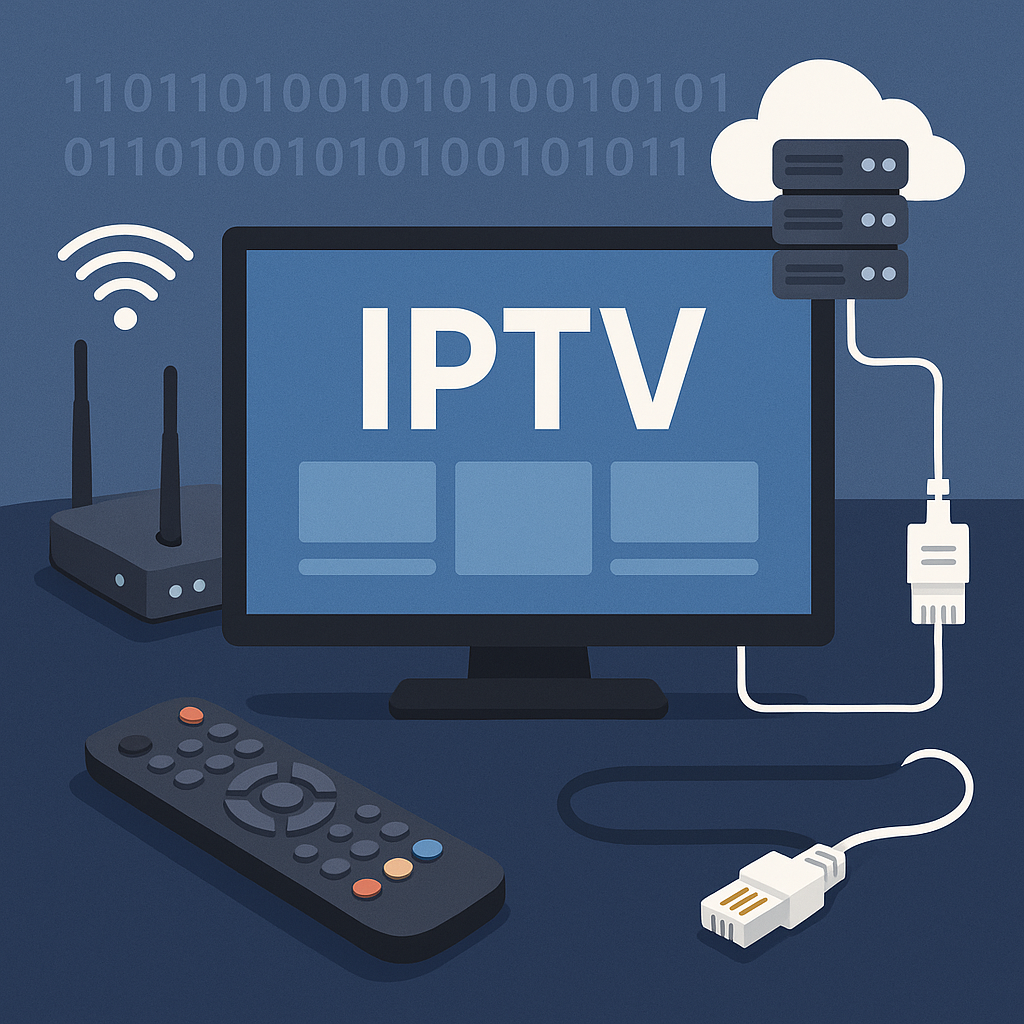
To understand how IPTV works, imagine a live TV channel travelling through a clean digital pipeline. The channel starts as a video feed. It is processed into a streaming-friendly format. It is placed on servers. Your app requests it. Your device downloads it in tiny chunks. Then your screen shows it almost instantly.
Here is the basic journey in order:
- Content is prepared: A TV channel or video file is converted into a digital streaming format.
- The stream is encoded: The video is compressed so it can travel efficiently over the internet.
- The stream is hosted: Servers make the channel or VOD file available to subscribers.
- Your app connects: Your IPTV player signs in using playlist details, Xtream Codes, or another login method.
- You select content: When you click a channel or movie, the app sends a request to the server.
- Data is delivered: The stream arrives in small packets through your internet connection.
- Your device plays it: The app buffers, decodes, and displays the video and audio.
This process happens quickly. When everything is healthy, you do not notice it. You press a channel, wait a second or two, and the picture appears. When something in the chain is weak, you may see buffering, freezing, audio delay, slow channel loading, or lower picture quality.
In most cases, the weak point is not the whole IPTV system. It is usually one part of the chain, such as poor Wi-Fi signal, an overloaded device, a slow internet plan, an outdated app, or a server route that is having a temporary issue.
Step 1: Channels Are Encoded for Internet Streaming
Raw video is too large to send efficiently to millions of viewers. Encoding solves that. Encoding compresses the video into a format your device can understand while keeping the picture as clear as possible.
Think of encoding like packing a suitcase. The goal is to fit everything you need without wasting space. Good encoding keeps the important visual details, removes unnecessary data, and allows the stream to move smoothly across regular home internet connections.
Common technical pieces include:
- Resolution: HD, Full HD, or 4K picture size
- Bitrate: How much data is used per second
- Codec: The compression format, such as H.264 or H.265
- Frame rate: How smooth motion appears, especially for sports
- Audio format: Stereo or surround-compatible sound
Higher quality usually requires more data. A 4K sports stream needs more bandwidth than a standard-definition news channel. That is why your internet speed and home network matter so much when you want crisp, stable viewing.
Step 2: Servers Deliver the Stream to Your Device
After encoding, the stream is delivered through servers. These servers are the middle point between the channel source and your home. When you click a channel, your app does not magically create the channel. It asks a server to send the stream to you.
Good IPTV delivery depends on server capacity, routing, and stability. If too many viewers connect to weak servers at the same time, performance can suffer. Premium services invest in stronger infrastructure so viewers experience faster channel loading, better uptime, and fewer interruptions.
The server also helps organize content. It can provide:
- Live channel categories
- Video-on-demand libraries
- Series folders and episodes
- Electronic program guide data
- Catch-up or replay options when available
- Account access permissions
For Canadian households, distance and routing can also play a role. A viewer in Toronto, Montreal, Vancouver, Calgary, or Halifax may not follow the exact same internet route to a server. This is one reason two homes with the same internet speed may have slightly different streaming results.
Live TV, VOD, Catch-Up, and EPG Explained
IPTV is often described as live TV over the internet, but modern IPTV usually includes several content types. Each one works a little differently, even though they may appear inside the same app.
Live TV is the closest to cable. You open a channel and watch what is currently airing. It is time-based, which means everyone watching that channel sees roughly the same program at the same time, with a small streaming delay.
VOD, or video on demand, is different. Movies and series are stored as files, and you choose what to play whenever you want. If you watch a lot of films and shows, you may enjoy reading the Primestelly guide to IPTV for movies and series in Canada, which focuses on how on-demand libraries fit into a home entertainment setup.
Catch-up TV, when available, lets you replay certain programs after they air. Not every channel supports catch-up, and availability depends on the service and the channel category. It is useful for viewers who miss a match, news segment, drama episode, or special event.
EPG means electronic program guide. It is the schedule grid that shows what is on now and what is coming next. EPG data is separate from the video stream. That means a channel can play correctly even if its guide data is temporarily missing, or the guide can load slowly even when the video itself is fine.
Here is how these features compare:
- Live TV: Best for sports, news, and real-time channels
- VOD: Best for movies, box sets, and relaxed viewing
- Catch-up: Best for replaying missed programs
- EPG: Best for browsing schedules like cable
- Favourites: Best for organizing channels you watch often
Understanding these differences helps when troubleshooting. If live TV buffers but VOD plays smoothly, the issue may involve live stream routing. If VOD buffers too, your device, app, Wi-Fi, or internet connection may need attention.
IPTV Protocols Without the Headache
Protocols are the rules that decide how streaming data travels from a server to your app. You do not need to configure most of them manually, but knowing the basics helps you understand why IPTV can feel fast and smooth when the setup is right.
Many IPTV streams use formats such as HLS, MPEG-TS, or similar delivery methods. Some streams arrive as continuous data, while others arrive as small video segments. Your app receives those segments, keeps a short buffer, and plays them in order.
The buffer is important. It is a small reserve of video stored for a few seconds before playback. If your internet connection has a tiny dip, the buffer gives your app something to keep playing while it waits for more data. If the dip lasts too long, the buffer empties, and you see freezing or loading.
Here are the most viewer-friendly concepts to remember:
- Packets: Small pieces of data moving across the internet
- Buffer: A short reserve that protects playback
- Latency: The delay between live action and your screen
- Bitrate: The data level needed for picture quality
- Adaptive delivery: A method that can adjust quality when supported
For live sports, latency matters because you do not want alerts on your phone before the goal appears on your TV. For movies, latency matters less because you are not watching a real-time event. For 4K, bitrate matters more because the picture needs extra data to stay sharp.
If you are focused on ultra-clear picture quality, the guide to 4K IPTV streaming in Canada explains what Canadian viewers should know about devices, speed, and realistic 4K expectations.
What You Need at Home in Canada
Once you understand how IPTV works on the provider side, the next question is what you need at home. The answer is usually straightforward. You need an internet connection, a compatible device, an IPTV app or player, and your subscription details.
A typical Canadian IPTV setup includes:
- A home internet plan with enough speed
- A Smart TV, Firestick, Android TV box, Apple TV, phone, tablet, or computer
- An IPTV player app installed on that device
- A login method, such as M3U playlist or Xtream Codes
- A stable Wi-Fi or Ethernet connection
- Optional home theatre or soundbar connection
Your device plays a bigger role than many viewers expect. An older Smart TV may open apps slowly or struggle with heavier streams. A newer Firestick, Android TV box, Apple TV, or modern Smart TV often gives a more responsive experience.
If you are deciding between popular streaming devices, the comparison of Firestick vs Android TV Box for IPTV is especially useful because it explains the everyday pros and cons for Canadian homes.
Here is a simple setup process:
- Check your internet speed: Make sure your plan can handle the picture quality you want.
- Choose your device: Pick a device that supports reliable IPTV apps.
- Install an IPTV player: Use a trusted app that works well on your device.
- Enter your subscription details: Add the playlist URL, Xtream Codes login, or portal details provided.
- Load channels and guide: Allow the app time to sync live TV, VOD, and EPG data.
- Test several categories: Try sports, movies, news, and international channels.
- Adjust network settings: Use Ethernet or improve Wi-Fi if playback is unstable.
For a broader home layout, Primestelly also has a detailed home streaming setup guide for IPTV in Canada that walks through rooms, routers, TVs, and comfort-focused viewing.
Apps, M3U Playlists, and Xtream Codes
An IPTV app is the player. It is the interface you use to browse channels, open movies, see the guide, create favourites, and control playback. The app does not usually own the content itself. It connects to your IPTV service and displays the streams in a friendly way.
There are a few common ways apps connect to IPTV services. The most familiar are M3U playlists and Xtream Codes. Both are login formats that tell your app where to find channels, VOD, series, and guide data.
M3U playlists are usually playlist links. When added to a compatible app, the app reads the list and loads the available channels. If you want a practical walkthrough, the guide on how to load an M3U playlist in Canada explains the process step by step.
Xtream Codes usually use a server URL, username, and password. Many viewers like this format because it can organize live TV, VOD, series, and EPG data neatly inside supported apps.
Popular IPTV players may offer features such as:
- Channel categories and search
- Favourites lists
- Parental controls
- Multiple playlist support
- External player options
- EPG timeline views
- VOD posters and series organization
IPTV Smarters Pro is one well-known example of a player-style app. If you are learning the interface, Primestelly has a clear guide on how to use IPTV Smarters Pro in Canada, including the basics of logging in and navigating content.
The right app depends on your device and comfort level. Some viewers prefer a simple layout with large menus. Others want advanced features, multiple playlists, recording options, or detailed EPG controls. In most cases, beginners should choose stability and ease of use before chasing every advanced setting.
Buffering, Speed, and Picture Quality
Buffering is the most common IPTV complaint, and it is also the most misunderstood. When IPTV buffers, it does not automatically mean the IPTV service is bad. It means the stream is not arriving quickly or consistently enough for your device to keep playing without interruption.
Because IPTV works through the internet, many factors can affect the stream:
- Your internet plan speed
- Wi-Fi signal strength
- Router age and quality
- How many people are online at home
- Device storage and processing power
- App cache and settings
- Temporary server or route congestion
Speed matters, but consistency matters even more. A speed test might show a high number for a few seconds, but streaming needs steady delivery over time. A 50 Mbps connection that is stable can feel better than a 300 Mbps connection with weak Wi-Fi drops in the living room.
As a general everyday guide, many Canadian viewers aim for:
- 10 Mbps or more for basic HD viewing
- 25 Mbps or more for Full HD comfort
- 50 Mbps or more for 4K headroom
- Extra speed for multiple TVs or family devices
- Low network congestion during sports and evenings
For more specific recommendations, see the Primestelly guide to internet speed for IPTV in Canada. It explains speed needs in a practical way, including households with multiple devices.
Wi-Fi is often the real bottleneck. Your internet plan may be fast at the modem, but the signal can weaken through walls, floors, appliances, mirrors, concrete, and distance. If your TV is far from the router, the stream may struggle even when your plan is excellent.
The good news is that small changes can help:
- Move the router higher and more central
- Use the 5 GHz band when close to the router
- Use 2.4 GHz for longer range if needed
- Restart the router regularly
- Connect the main TV by Ethernet when possible
- Limit heavy downloads during live events
If your wireless connection is inconsistent, the guide to improving Wi-Fi for IPTV streaming is a practical next step. If you suspect the router itself is outdated, you may also want to review the best routers for IPTV streaming in Canada.
Picture quality is also tied to bitrate. A stream can be labelled HD or 4K, but the actual clarity depends on how much data is being delivered and how well the stream is encoded. Sports need more data than talk shows because fast motion is harder to compress cleanly.
If buffering continues after checking your internet and Wi-Fi, try a structured fix process. Primestelly has a dedicated IPTV buffering fix guide for Canada that walks through common causes without overwhelming you.
IPTV vs Cable TV: What Is Technically Different?
IPTV and cable TV can look similar on the screen. You open a guide, choose a channel, and watch. Technically, however, they work in very different ways.
Traditional cable sends many channels through a dedicated cable network into your home. The cable box tunes into the channel you select. The system is closed and controlled by the cable provider. It can be stable, but it is also less flexible and often tied to expensive bundles.
IPTV sends the selected stream through your internet connection. Instead of receiving every channel at once through a cable line, your app requests the channel you want. This makes IPTV more flexible across devices, locations, apps, and content categories.
Here is a simple comparison:
- Delivery: Cable uses dedicated cable infrastructure; IPTV uses internet data.
- Devices: Cable often needs a provider box; IPTV can work on many smart devices.
- Content style: Cable focuses on live TV; IPTV often combines live TV and VOD.
- Flexibility: IPTV is usually easier to use across rooms and screens.
- Network dependence: IPTV depends more on home internet quality.
- Cost structure: IPTV can offer more flexible packages in many cases.
Neither system is magic. Cable can have outages. IPTV can buffer if your network is weak. The best choice depends on what you watch, how many screens you use, and how comfortable you are with streaming apps.
If cost is a major part of your decision, the detailed IPTV vs cable TV comparison for Canada explains the real-world differences in pricing, channel access, and everyday value.
IPTV also differs from app-based streaming services like Netflix and Crave. Those services focus mostly on their own on-demand libraries. IPTV is more TV-like because it can include live channels, international programming, sports, movies, series, and program guides in one experience. For a deeper look at that angle, see IPTV vs Netflix and Crave in Canada.
Common Mistakes to Avoid
Because IPTV is flexible, a lot of viewers accidentally make small setup mistakes that lead to frustration. The good news is that most of these mistakes are easy to fix once you know what to look for.
Mistake one: using weak Wi-Fi and blaming the service. If your router is in the basement and your TV is upstairs on the opposite side of the house, your signal may be the problem. Test your device near the router or use Ethernet before deciding the stream itself is at fault.
Mistake two: choosing the cheapest or oldest device. IPTV apps need enough processing power to decode video smoothly. Old Smart TVs, low-storage sticks, and underpowered boxes can freeze even on a good internet connection.
Mistake three: ignoring app maintenance. Apps can build cache, outdated data, or old playlist entries. Restarting the app, clearing cache, refreshing the playlist, or reinstalling the player can solve many odd issues.
Mistake four: expecting every channel to behave the same. Different channels may have different bitrates, sources, and routing. A sports channel in 4K may need much more stability than a standard news channel.
Mistake five: running too many devices at once. If the family is gaming, downloading, video calling, and streaming on multiple TVs, your home network may become crowded. This is especially common in the evening.
Mistake six: not testing before settling in. Try your favourite channels, sports events, VOD categories, subtitles, and guide data early. If something needs adjustment, it is better to find out before movie night or a big playoff game.
A simple troubleshooting order can save time:
- Restart your IPTV app.
- Restart your streaming device.
- Restart your modem and router.
- Test another channel or VOD title.
- Run a speed test near the device.
- Try Ethernet or move closer to Wi-Fi.
- Update or reinstall the IPTV player.
Also remember device limits. Some subscriptions allow one connection, while others support more. If you open the same account on too many screens at once, playback may stop or behave unpredictably. The Primestelly article on how many devices you can use with IPTV in Canada explains how households should think about simultaneous streaming.
Final Thoughts
How IPTV works comes down to a simple idea: video is prepared on servers, requested by your app, delivered through your internet connection, and played on your chosen device. The technical pieces matter, but they do not have to feel intimidating. In most cases, a good IPTV service, a reliable app, a capable device, and a steady home network are enough for smooth everyday viewing. If you want a premium IPTV experience in Canada with friendly guidance and flexible entertainment options, Primestelly is here to help you stream with more confidence and less stress.
FAQ
How IPTV works compared with regular internet streaming?
IPTV uses internet streaming technology, but it is organized around a television-style experience. Instead of opening separate apps for each service, an IPTV player can display live channels, VOD, series, and guide data from your IPTV subscription. The stream still travels as internet data, but the layout feels closer to cable TV.
Do I need very fast internet for IPTV in Canada?
You need stable internet more than extreme speed. For many viewers, HD works well with a steady connection, while Full HD and 4K need more bandwidth. If several people stream, game, or work from home at the same time, choose a plan with extra headroom and make sure your Wi-Fi can actually deliver that speed to the TV.
Why does IPTV buffer even when my speed test looks good?
A speed test is only a short snapshot. IPTV needs consistent delivery over time. Buffering can happen because of weak Wi-Fi, an old router, device overload, app cache, network congestion, or temporary server routing issues. Testing with Ethernet, restarting equipment, and trying another app can help identify the cause.
What is the difference between an IPTV app and an IPTV service?
The IPTV service provides access to channels, VOD, guide data, and account details. The IPTV app is the player you install on your device to display and play that content. Think of the service as the source and the app as the remote-friendly screen interface.
Can IPTV work on Smart TVs, Firestick, Android boxes, and phones?
Yes. IPTV can work on many common devices as long as a compatible player app is available. Smart TVs, Firestick, Android TV boxes, Apple TV, tablets, and smartphones are all popular choices. The best device depends on your comfort level, app support, storage, performance, and how you like to watch.