Switching from cable to IPTV is becoming one of the most common TV decisions Canadian households are making in 2026, and the good news is that it is much easier to understand than it may first sound.
At Primestelly, we hear from a lot of viewers who are tired of paying more for cable while watching less of it. They still love live TV, sports, movies, news, kids programming, and international channels, but they want those options without the old cable routine.
For many Canadians, cord-cutting is not about giving up television. It is about choosing a more flexible way to watch it. IPTV gives everyday viewers a way to enjoy live channels and on-demand content using an internet connection instead of a traditional cable line.
If you have ever wondered why your neighbours, coworkers, or family members are moving from cable to IPTV, this guide will walk you through the reasons calmly and clearly. No tech language, no pressure, and no confusing promises.
By the end, you will understand what is changing in Canada, what to check before you switch, and how to make the move in a way that feels simple, safe, and comfortable for your home.
Why Canadians Are Switching from Cable to IPTV in 2026
Canadians are switching from cable to IPTV because the way people watch TV has changed. A decade ago, cable was the default choice. If you wanted live channels, sports, local news, and family entertainment, you usually called a cable company, accepted a bundle, rented a box, and paid the monthly bill.
Today, most homes already have fast internet. Many families use smart TVs, Fire TV devices, Android TV boxes, Apple TV, tablets, and phones every day. Streaming has become normal. Viewers are comfortable opening an app, choosing what they want, and watching on their own schedule.
That shift has made traditional cable feel less flexible. A lot of viewers do not want to pay for channels they never watch. Others are frustrated by long contracts, equipment rental fees, installation appointments, or packages that keep changing.
IPTV fits the way many Canadian households now live. It can bring together live TV, movies, series, international channels, and catch-up style viewing in one place, depending on the service and app used. In most cases, it works on devices people already own.
Some of the biggest reasons behind the move include:
- More control over what and where you watch
- Less dependence on cable boxes and wall outlets
- Access to broader channel choices
- Better options for multilingual homes
- Convenient viewing on multiple devices
- A more modern streaming experience
It is also worth saying that Canadians are not all switching for the same reason. A sports fan in Toronto, a French-speaking household in Gatineau, a family in Calgary, and a newcomer family in Mississauga may all want different things from TV. IPTV appeals because it can often be shaped around those different viewing habits better than a one-size cable bundle.
What Cable to IPTV Really Means
Moving from cable to IPTV simply means changing how TV content reaches your screen. Cable television uses a traditional cable network connected to your home. IPTV, which stands for Internet Protocol Television, delivers TV through your internet connection.
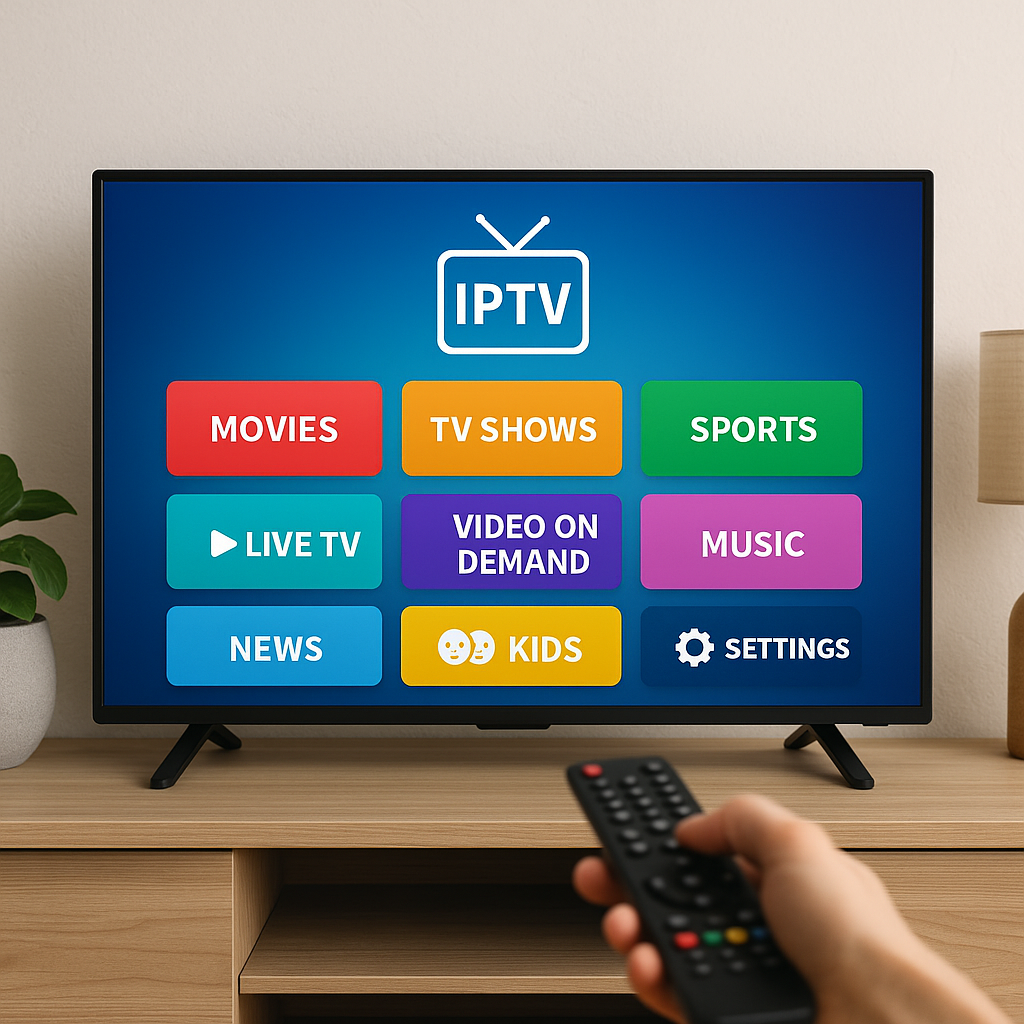
You do not need to be a technical person to use IPTV. Think of it like watching a streaming app, but with access to live channels and other TV content depending on your provider. You open an IPTV app, sign in or load your service details, choose a channel or program, and watch.
If you want a plain-language explanation of the basics, Primestelly has a helpful beginner guide here: what IPTV means for Canadian viewers. It explains the idea in simple terms without making it feel complicated.
In everyday life, IPTV can feel familiar because many Canadians already use internet-based entertainment. If you have watched YouTube on a smart TV, streamed a movie, joined a video call, or used Netflix, you already understand the basic idea: content travels through your internet connection to your screen.
What makes IPTV different from a typical on-demand app is that it can include live TV style viewing. Depending on the service, viewers may find:
- Live Canadian and international channels
- Sports and event channels
- Movie and series libraries
- News and entertainment channels
- Kids and family programming
- Multi-device viewing options
The main thing to remember is that IPTV is a delivery method. The quality of your experience depends on your internet, device, app, and provider. That is why choosing carefully matters.
Cable to IPTV vs Traditional Cable in Canada
When comparing cable to IPTV, it helps to look at the everyday viewing experience rather than only the technology behind it. Most people care about simple questions: Can I watch what I like? Is it easy to use? Does it work well? Am I getting good value?
Traditional cable has strengths. It is familiar, it often includes local channels, and many people have used it for years. For viewers who do not want to change anything, cable may feel comfortable. But it also comes with limits that are becoming more noticeable as viewing habits change.
IPTV is different because it is built around internet streaming. It is usually more portable, more app-based, and easier to use across different devices. You are not always tied to one box in one room.
Here is a simple comparison:
- Cable: usually tied to a provider box and home cable connection
- IPTV: usually works through apps on supported internet-connected devices
- Cable: often sold in fixed bundles
- IPTV: may offer broader and more flexible content choices
- Cable: installation or equipment rental may be required
- IPTV: setup is often quicker if your internet and device are ready
A lot of viewers also compare IPTV with popular streaming services. That is a slightly different question because Netflix, Crave, Disney+, and Prime Video are mainly on-demand services, while IPTV is often chosen for live TV and channel-style viewing. If you are weighing those options, this comparison of IPTV vs Netflix and Crave in Canada may help you decide what belongs in your monthly entertainment mix.
In many homes, IPTV does not necessarily replace every streaming app. Instead, it may replace the cable portion of the bill while viewers keep one or two favourite on-demand apps. Cord-cutting is not all-or-nothing. The best setup is the one your household actually uses.
The Main Reasons Cord-Cutting Feels Easier Now
Cord-cutting used to sound risky. People worried they would lose their favourite channels, struggle with setup, or need advanced technical skills. In 2026, the good news is that those fears are smaller for many households because streaming devices, apps, and home internet have improved.
One major reason is comfort. Canadians are now used to streaming. Parents, grandparents, students, and busy professionals all use apps daily. Opening an IPTV player on a TV no longer feels strange to many viewers.
Another reason is choice. Cable packages can feel limited or bloated at the same time: too many unwanted channels, but not enough of the specific content a household truly wants. IPTV can be especially appealing to viewers who want sports, global channels, niche entertainment, or multilingual programming.
Many Canadians also like the idea of watching on more than one screen. A family may want the living room TV for hockey, a tablet for kids shows, and a phone for news while travelling within Canada. Depending on the subscription and provider rules, IPTV can make that kind of flexibility more realistic. You can learn more about household viewing in this guide to using IPTV on multiple devices in Canada.
The main lifestyle benefits usually include:
- Watching in different rooms without extra cable outlets
- Using smart TVs and streaming devices already in the home
- Finding international and specialty channels more easily
- Reducing clutter from extra boxes and cables
- Choosing apps that feel modern and familiar
- Testing a service before fully committing
For many viewers, the switch is not driven by one dramatic reason. It is a collection of small frustrations with cable and small conveniences with IPTV. Over time, those small differences add up.
Cost, Value, and What Canadians Actually Watch
Cost is one of the biggest reasons Canadians consider switching from cable to IPTV, but it is important to think about value, not just the lowest monthly price. A service is only a good deal if it gives your household the channels, reliability, and support you need.
Cable bills can feel heavy because they often include base packages, add-ons, equipment rentals, taxes, and promotional pricing that changes later. Many viewers start with one price and end up paying more after a discount expires.
IPTV can feel more straightforward, especially when a provider clearly explains what is included, how setup works, and what devices are supported. However, very cheap offers can sometimes be a warning sign. If a deal sounds too good to be true, it is worth slowing down and checking carefully.
Before switching, ask yourself what your household truly watches. This is where many people discover they are paying for far more cable than they use. Make a quick list:
- Must-have live channels
- Sports or league coverage you care about
- News channels your household trusts
- Kids or family programming
- Movies and series you watch regularly
- Languages or international regions you want
Once you know what matters, it becomes easier to compare options. You may find that IPTV covers your main viewing needs better than cable. Or you may decide to keep one streaming app alongside IPTV for certain shows. Either way, the decision becomes practical instead of overwhelming.
A lot of viewers also appreciate on-demand content. If movies and series are a major part of your household routine, this article on IPTV for movies and series in Canada explains what to look for in a viewing experience that feels smooth and enjoyable.
Is IPTV Hard to Set Up?
In most cases, IPTV is not hard to set up, especially if you already use a smart TV or streaming device. The process usually involves choosing a provider, installing an IPTV app, entering your service details, and testing your channels.
The exact steps depend on your device. A Samsung Smart TV, LG Smart TV, Firestick, Android TV box, Apple TV, tablet, or phone may each use a slightly different app or setup method. Still, the general idea is similar.
A simple IPTV setup usually looks like this:
- Choose a reliable IPTV provider that supports Canadian viewers.
- Confirm which devices and apps are compatible.
- Install the recommended IPTV player or app.
- Enter the login details, portal, or playlist information from your provider.
- Connect your device to stable home internet.
- Test live channels, movies, and guide features.
- Ask support for help if anything does not load correctly.
If you are brand new, it may help to begin with a beginner-friendly app rather than the most advanced player. Primestelly has a guide to easy IPTV apps for beginners in Canada that explains which options feel simplest for everyday viewers.
Setup can sound intimidating because terms like M3U, portal URL, EPG, and player app may appear. But you do not need to master every term. A good provider should give clear instructions and help you get started without making you feel lost.
The most common setup problems are usually simple:
- Entering login details incorrectly
- Using an unsupported app
- Having weak Wi-Fi near the TV
- Trying to stream on an outdated device
- Forgetting to update the app
- Not asking support for setup guidance
The reassuring part is that most of these issues are fixable. Once the app is installed and working, daily use is usually as simple as opening it and choosing what to watch.
Internet Speed and Home Wi-Fi for IPTV
Because IPTV uses your internet connection, your home network matters. You do not necessarily need the fastest plan available in Canada, but you do need a stable connection that can handle streaming without constant interruptions.
For one HD stream, many homes can manage with a reasonable broadband connection. For 4K viewing, multiple screens, or busy households where people are gaming, video calling, and streaming at the same time, faster and more stable internet becomes more important.
If you are unsure what your home needs, this guide to internet speed for IPTV in Canada breaks down the basics in a friendly way.
Wi-Fi is often the hidden reason some viewers blame IPTV when the real issue is the home network. A TV in the basement, a router tucked behind furniture, or an old modem can all affect streaming quality. The service may be fine, but the signal reaching your device may be weak.
To improve your home setup, try these simple steps:
- Place your router in a central, open area
- Use 5 GHz Wi-Fi for nearby streaming devices
- Use Ethernet when possible for main TVs
- Restart your modem and router occasionally
- Update streaming apps and device software
- Avoid running too many heavy downloads while watching
If freezing or buffering happens, do not panic. A lot of viewers can improve performance with a few home adjustments. Primestelly also has practical tips to fix IPTV lag and freezing in Canada, which is useful before assuming you need a new service.
Data usage is another common concern. IPTV uses internet data, just like other streaming services. If your home internet plan has a data cap, you should understand how much streaming your family does. This guide on IPTV data usage in Canada can help you plan more comfortably.
Best Devices for Making the Switch
One reason switching from cable to IPTV feels easier today is that Canadians have many device choices. You do not need a traditional cable box. In most cases, you can use a supported smart TV, streaming stick, TV box, phone, tablet, or computer.
The best device depends on your comfort level and how you watch. Some people want the simplest living room setup. Others want a powerful Android TV box with more app flexibility. Families may want something easy for kids and grandparents to navigate.
Common IPTV device options include:
- Amazon Fire TV Stick or Fire TV Cube
- Android TV boxes and Google TV devices
- Samsung and LG smart TVs
- Apple TV devices
- Chromecast with Google TV
- Android phones, iPhones, iPads, and tablets
If you are choosing between popular living room devices, this helpful comparison of Firestick vs Android TV Box for IPTV explains the pros and cons in a Canadian context.
Smart TVs are convenient because there is no extra device to plug in. However, streaming sticks and TV boxes can sometimes offer more app choices, faster performance, and easier updates. If your TV is older or slow, adding a streaming device may give it a fresh start.
For viewers who care about picture quality, device performance matters even more. 4K streaming works best with a strong device, stable internet, and a provider that supports high-quality streams. If sharp picture quality is a priority, you may enjoy reading about IPTV for 4K streaming in Canada.
The simplest advice is this: start with the device you already own if it is supported. If the experience feels slow or limited, then consider upgrading. You do not have to buy everything at once.
Step-by-Step: How to Move from Cable to IPTV
Switching from cable to IPTV feels less stressful when you treat it as a gradual process. You do not have to cancel cable the same day you first try IPTV. In fact, many Canadians prefer to test IPTV first, make sure the family is comfortable, and then decide whether to cut the cord fully.
Here is a practical step-by-step plan:
- Review your cable bill. Look at the full monthly cost, including equipment, add-ons, and taxes.
- List your must-have content. Write down the channels, sports, news, kids shows, languages, and movies your household actually watches.
- Check your internet plan. Make sure your speed and data allowance fit your streaming habits.
- Choose your main viewing device. Pick the TV, streaming stick, or box you will use most often.
- Compare providers carefully. Look for clear service details, support, device compatibility, and realistic claims.
- Test before committing. Use a trial or short-term option when available to check picture quality and channel stability.
- Set up the app properly. Follow provider instructions and ask for help if needed.
- Let the household try it. Make sure everyone can find their favourite content comfortably.
- Cancel cable only when ready. Once IPTV meets your needs, contact your cable provider and return any rental equipment.
Testing is one of the smartest parts of the process. A trial helps you see how the service performs in your real home, on your real internet, with your real devices. This guide explains how to test IPTV quality before buying in Canada.
Do not rush this stage. A lot of viewers feel more confident after a weekend of testing. Try live sports, evening viewing, movies, kids content, and any international channels you care about. If everything feels smooth, the decision becomes much easier.
Common Mistakes to Avoid
Cord-cutting can be simple, but a few common mistakes can make the experience more frustrating than it needs to be. The good news is that most are easy to avoid if you slow down and choose carefully.
The first mistake is choosing only by price. Very low-cost offers can be tempting, especially when you are trying to reduce a cable bill. But reliability, support, content quality, and trust matter. A cheap service that constantly freezes or disappears is not really a bargain.
Another mistake is ignoring internet and Wi-Fi. IPTV depends on your home connection. If your Wi-Fi is weak in the room where you watch TV, you may experience buffering even with a good provider.
Watch out for these common issues:
- Buying from a provider with no clear support
- Skipping a trial or quality test
- Using an old or underpowered streaming device
- Assuming all IPTV services are the same
- Forgetting to check channel needs before subscribing
- Not learning basic app navigation before cancelling cable
It is also important to avoid scams. IPTV is a real technology, but not every seller is trustworthy. Be careful with providers that make unrealistic promises, hide basic information, or pressure you to pay quickly. Primestelly has a full guide on how to avoid IPTV scams in Canada.
Another helpful read is this article on IPTV myths Canadians still believe. It clears up misunderstandings that often stop people from making a confident, informed choice.
How to Choose a Trustworthy IPTV Service
Choosing the right IPTV service is the most important part of switching from cable to IPTV. A good provider should make you feel informed, not confused. You should understand what devices are supported, what kind of content is offered, how setup works, and how to reach support if you need help.
Trust starts with clear communication. If a provider cannot explain the basics, that is a concern. Everyday viewers should not have to guess how the service works or what they are paying for.
Look for signs like:
- Clear setup instructions for common devices
- Responsive customer support
- Realistic service descriptions
- Trial or testing options when available
- Secure and professional website experience
- Helpful guidance for beginners
If you want a deeper checklist, this guide on how to choose the right IPTV provider in Canada is a useful place to start. It focuses on the practical details that matter before you subscribe.
You can also review the signs of a legit IPTV service in Canada so you know what a professional provider should look like. The goal is not to scare you. It is to help you choose with confidence.
A trustworthy service should also help with setup and troubleshooting. Even simple IPTV can have questions at the beginning, especially if you are using a new app or device. Friendly support makes the transition from cable much smoother.
What Families Should Know Before Cutting Cable
Families often have more than one viewing need. One person wants sports, another wants movies, kids want cartoons, grandparents want news, and someone else wants international channels. That is why switching from cable to IPTV should include the whole household.
Before cancelling cable, ask each person what they actually watch. This prevents surprises later. You may discover that some channels are essential while others are barely used.
Families should consider:
- How many screens may be used at the same time
- Whether kids need simple menus and safe content settings
- Which languages and countries matter for relatives
- Whether older family members need a very simple remote
- How often sports or live events are watched
- Whether on-demand movies and series are important
Parental controls are also worth reviewing. IPTV apps and devices may offer different levels of restrictions, PINs, profiles, or content controls. If you have children at home, this IPTV parental controls guide for Canada can help you create a safer viewing setup.
Multilingual households are another major reason IPTV is growing in Canada. Many viewers want channels from home countries, cultural programming, religious channels, regional sports, and news in different languages. IPTV can be appealing because international access is often broader than standard cable packages.
If that sounds like your home, you may also find this guide to international and global IPTV channels in Canada helpful. For many newcomer and multicultural families, content choice is not a luxury. It is a connection to language, culture, and community.
The key is to make the switch together. Let family members test the app, practise changing channels, and find favourites before the cable box is returned. A little preparation makes cord-cutting feel normal instead of disruptive.
Final Thoughts
Switching from cable to IPTV is popular in Canada because viewers want more flexibility, better control, broader content choice, and a TV experience that fits modern life. Cable still feels familiar, but for many households it no longer feels like the best match for how they actually watch. The good news is that moving to IPTV does not have to be rushed or complicated. Review your viewing needs, check your internet, test the service, choose a trustworthy provider, and make the change when your household feels ready. If you want friendly guidance and a premium IPTV experience designed with Canadian viewers in mind, Primestelly is here to help you cut the cord with confidence.
FAQ
Why are Canadians switching from cable to IPTV?
Canadians are switching because IPTV can offer more flexibility, broader channel options, easier device access, and a more modern viewing experience. A lot of viewers also want to reduce reliance on cable boxes, fixed bundles, and traditional contracts.
Do I need fast internet to use IPTV in Canada?
You need a stable internet connection, especially for HD or 4K viewing. In most cases, regular broadband works for one stream, but faster speeds help if your household watches on multiple devices or uses the internet heavily at the same time.
Can IPTV replace cable completely?
For many households, yes, IPTV can replace cable if it includes the channels and features they care about. Some viewers keep one or two streaming apps alongside IPTV for specific shows or exclusive content.
Is IPTV difficult for beginners?
Usually, no. Once the app is installed and your service details are entered, IPTV feels similar to using other streaming apps. A good provider should offer clear setup instructions and support if you need help.
Should I cancel cable before trying IPTV?
It is usually better to test IPTV first. Try it on your home internet, your main device, and during your normal viewing times. Once you are comfortable with the quality and channel selection, you can decide whether to cancel cable.