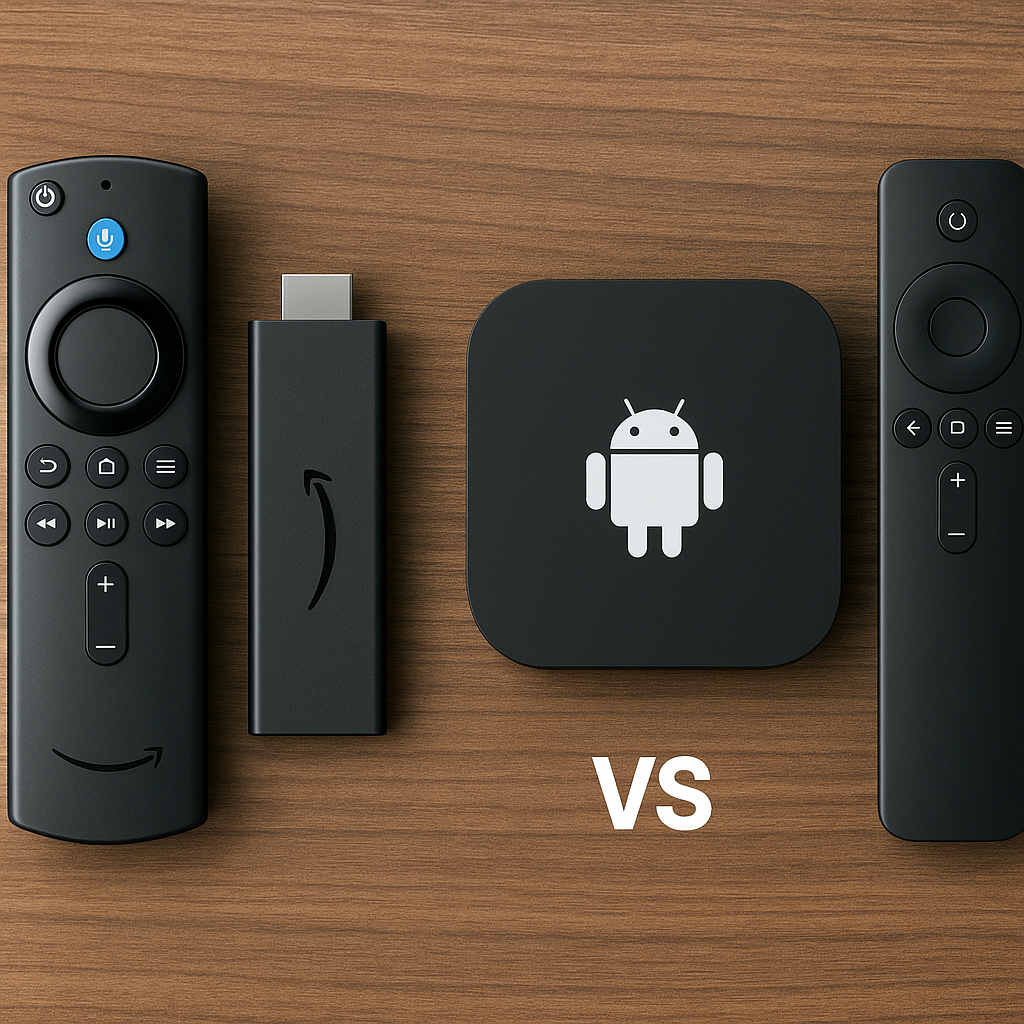
Firestick vs Android TV box is one of the most common questions Canadian IPTV viewers ask before setting up their living room streaming. At Primestelly, we hear it from families, sports fans, movie lovers, and cord-cutters who simply want IPTV to feel easy, reliable, and comfortable.
The good news is that both devices can work very well for IPTV. A Firestick is small, affordable, and simple. An Android TV box is usually more flexible, more powerful, and better suited for viewers who like extra control.
But the best choice is not the same for everyone. A lot of viewers just want to open an app, pick a channel, and relax. Others want more storage, faster navigation, wired internet, recording options, or a smoother 4K experience.
This guide compares Firestick vs Android TV box in plain language, with Canadian households in mind. We will look at setup, speed, app support, picture quality, storage, remote controls, family use, sports streaming, travel, and long-term value.
By the end, you should feel confident choosing the right device for your IPTV subscription, whether you are setting up one TV in a condo or several screens across a busy family home.
Quick answer: Firestick vs Android TV box for IPTV
If you want the shortest answer, here it is: a Firestick is usually better for beginners, while a good Android TV box is usually better for performance and flexibility.
Choose a Firestick if you want something:
- Small and easy to hide behind the TV
- Affordable for a first IPTV setup
- Simple to use with a familiar remote
- Good enough for HD and many 4K streams
- Easy to move between rooms or take travelling
Choose an Android TV box if you want something:
- Faster and more responsive in daily use
- Better for large IPTV apps and playlists
- More storage for apps and media tools
- More connection options like Ethernet and USB
- Better suited for heavy sports, VOD, and family viewing
In most cases, a Firestick is the easiest entry point. If you are new to IPTV and want a simple device for one TV, it is hard to ignore. If you already know you will watch IPTV every day, want smoother menus, or plan to install several apps, an Android TV box can feel more comfortable over time.
For a deeper look at Android models, you can compare options in our guide to the best Android TV boxes for IPTV in 2026. It is helpful if you are leaning toward an Android box but are unsure which type to buy.
How Firestick vs Android TV box differs in everyday use
Both devices turn a regular TV into a streaming-friendly screen. They plug into your TV with HDMI, connect to the internet, and run IPTV apps. From the couch, the experience can look similar: open the IPTV app, browse channels, watch live TV, catch sports, or enjoy on-demand movies.
The difference is what happens underneath. Firestick devices are made by Amazon and use Fire OS, which is based on Android but designed around Amazon services. Android TV boxes use Android or Google TV-style software, depending on the model. Some are official certified devices, while others are more open boxes with extra settings and app freedom.
For everyday viewers, that means Firestick usually feels more guided. Menus are polished, the remote is simple, and the app store is easy to understand. Android TV boxes can feel more open. You may see more settings, more app choices, more storage options, and sometimes more ways to customize the home screen.
Here are the main differences most Canadian viewers notice:
- Firestick: simple, compact, beginner-friendly, Amazon-focused
- Android TV box: flexible, powerful, customizable, often better connected
- Firestick: limited storage on many models
- Android TV box: more storage and RAM on better models
- Firestick: Wi-Fi focused unless you buy an adapter
- Android TV box: many models include Ethernet for wired internet
Neither choice is automatically right or wrong. The important thing is matching the device to your viewing habits. Someone watching a few channels in the evening has different needs than a household watching live sports, international channels, VOD, and kids programming on several screens.
Firestick for IPTV in Canada: when it makes sense
The Firestick is popular for a reason. It is affordable, widely available in Canada, and easy to plug into almost any modern TV. For many people, it is the first streaming device they ever use for IPTV, and the setup does not feel intimidating.
Firestick is especially appealing if you want a clean living room setup. The device hides behind the TV, uses a small remote, and does not need much space. It is also easy to unplug and move to another TV, which is useful for cottages, guest rooms, apartments, or travel.
A Firestick can be a great choice if you:
- Are new to IPTV and want a simple start
- Have one main TV and moderate viewing needs
- Prefer a small device with minimal cables
- Watch mostly HD channels and some 4K content
- Want a budget-friendly way to test IPTV
- Like voice search and simple remote controls
For step-by-step help, our full Firestick IPTV setup guide for Canada explains how to get started without making the process feel technical. This is a good place to begin if you already own a Firestick or plan to buy one soon.
One thing to keep in mind is storage. Many Firestick models have limited space. If you only install one IPTV app and a few streaming apps, that is usually fine. But if you add many apps, media players, VPN tools, and utility apps, you may notice storage warnings or slower performance.
Another consideration is internet connection. Firestick mainly relies on Wi-Fi. Strong Wi-Fi is enough for many households, especially if your router is nearby. If your TV is far from the router or you live in a crowded apartment building with Wi-Fi congestion, an Ethernet adapter may help. The good news is that many buffering problems are not caused by the IPTV service itself, but by home network conditions that can often be improved.
Android TV box for IPTV: when it is the better choice
An Android TV box is usually the better choice when IPTV is a daily part of your home entertainment. It can offer stronger hardware, more storage, more app flexibility, and better connectivity. For viewers who want IPTV to feel quick and stable, this extra room can make a real difference.
Not all Android TV boxes are equal, though. Some are excellent, while others are cheaply made and frustrating. A good Android box should have enough memory, stable software, strong Wi-Fi, preferably Ethernet, and regular updates from a trusted brand.
An Android TV box may be better if you:
- Watch IPTV for several hours a day
- Use large channel lists and VOD libraries
- Want wired Ethernet for better stability
- Need more storage for multiple apps
- Prefer advanced settings and customization
- Want stronger performance for 4K streaming
Android boxes are also useful for households that treat IPTV as the main TV source. If your family watches news in the morning, kids channels after school, sports at night, and movies on weekends, a stronger device can make the experience smoother.
Some Android boxes include USB ports, microSD slots, Bluetooth support, and more advanced remote options. These may not matter to every viewer, but they are handy if you use keyboards, external storage, game controllers, or wired accessories.
The main caution is quality. A no-name box with impressive-looking numbers is not always better than a simple Firestick. Some low-cost boxes have poor software, weak Wi-Fi, confusing menus, or limited updates. When buying, look for a device that feels reliable rather than only chasing the cheapest price.
Firestick vs Android TV box performance: speed, buffering, and 4K
Performance is where the Firestick vs Android TV box debate becomes more interesting. A newer Firestick can run IPTV smoothly, especially for HD viewing. However, a well-built Android TV box often has more RAM, faster processors, and more breathing room for demanding IPTV apps.
In everyday terms, performance affects:
- How quickly the IPTV app opens
- How fast channels change
- How smoothly menus scroll
- How well VOD libraries load
- How stable 4K streams feel
- How often the device needs restarting
Buffering is not always a device problem. It can be caused by Wi-Fi, internet speed, router placement, overloaded networks, app settings, or the stream source. Still, the device matters because a slower device can struggle with large playlists, heavy apps, and high-quality streams.
If you experience freezing or spinning circles, start with the basics. Move closer to the router, restart your modem and device, clear app cache, reduce background apps, and test another channel. Our IPTV buffering fix guide for Canada walks through practical steps that help in most cases.
For 4K IPTV, both device types can work, but do not assume every model is equal. A basic Firestick may be fine for HD but less ideal for frequent 4K viewing. A premium Firestick or stronger Android TV box is better. For Android boxes, check that the device supports modern video codecs, has reliable Wi-Fi or Ethernet, and can handle sustained streaming without overheating.
Here is a simple way to think about it:
- Casual HD viewing: Firestick is usually enough
- Daily HD and some 4K: premium Firestick or mid-range Android box
- Heavy 4K and sports: stronger Android TV box often wins
- Large VOD library use: Android box usually feels faster
- Weak Wi-Fi rooms: Android box with Ethernet is safer
Setup experience: which device is easier for IPTV?
For setup, Firestick usually feels easier for beginners. The device walks you through Wi-Fi, Amazon account sign-in, app installation, and remote pairing. Once it is ready, installing an IPTV app is usually straightforward, depending on which app your provider recommends.
Android TV boxes vary more. Certified Android TV or Google TV devices are usually simple and polished. Open Android boxes may have more settings and app options, which can be helpful but also a little confusing if you prefer a guided experience.
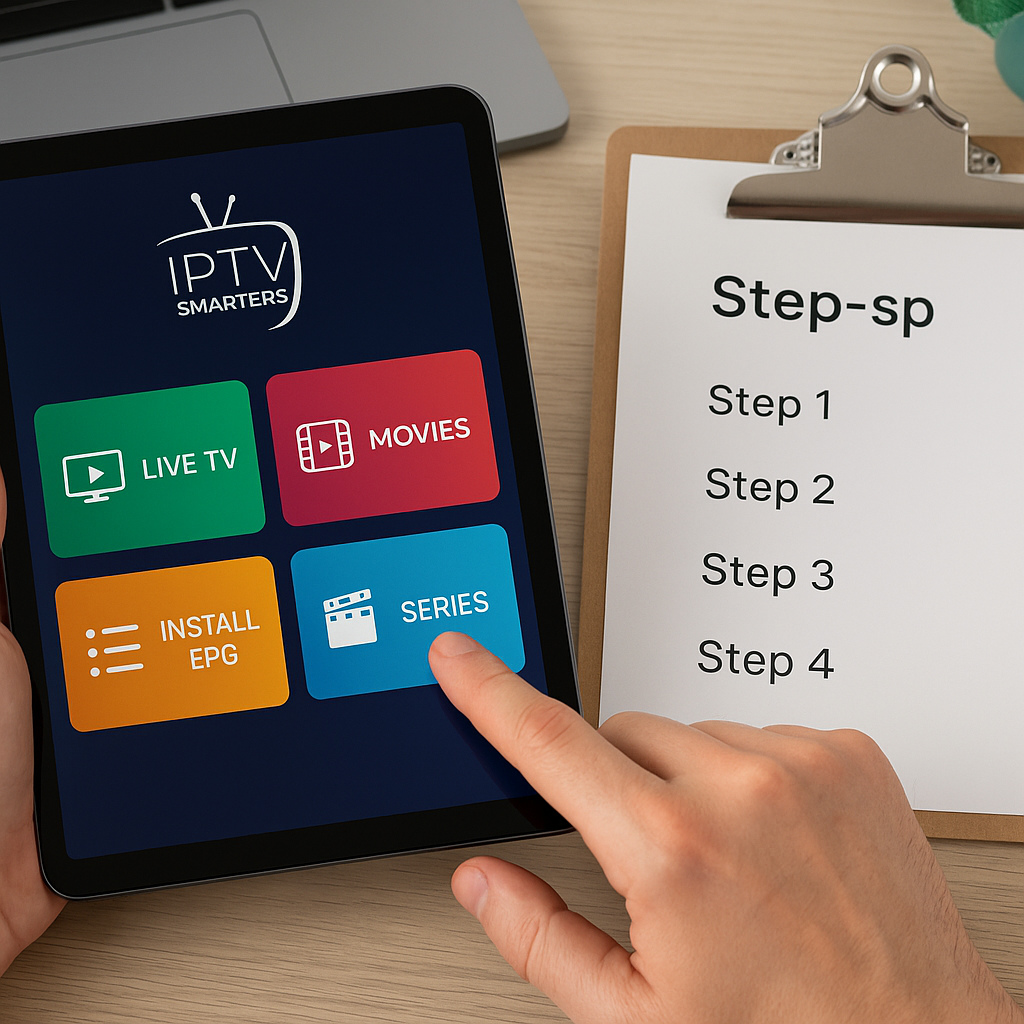
Here is a simple setup flow for either device:
- Connect the Firestick or Android TV box to your TV using HDMI.
- Plug in the power adapter and turn on the TV.
- Select the correct HDMI input on your TV remote.
- Connect the device to your home Wi-Fi or Ethernet.
- Install the IPTV app recommended by your provider.
- Enter your IPTV login details carefully.
- Test live channels, VOD, and TV guide loading.
- Adjust picture, audio, and player settings if needed.
If you are setting up IPTV for the first time, take your time with the login details. A small typo in a username, password, server URL, or playlist link can make it look like something is broken when the fix is simple.
If you want a broader beginner walkthrough, our complete guide to setting up IPTV in Canada covers the main steps across popular devices. It is useful if you are still comparing Firestick, Android TV box, Smart TV apps, Apple TV, and Chromecast.
For viewers who dislike extra devices, Smart TV apps can also be an option. Samsung and LG users may prefer installing IPTV directly on the TV, and our IPTV Smart TV Canada guide explains that route. Still, many viewers choose Firestick or Android TV box because dedicated streaming devices often feel faster and easier to replace.
Apps, storage, remote controls, and updates
IPTV is not only about the device itself. The app experience matters just as much. A stable IPTV app with a clear TV guide, good search, favourite channels, catch-up support, and VOD browsing can make the same service feel much better.
Firestick supports many popular IPTV apps, but storage can be tight. If you install too many apps, you may need to delete unused ones or clear cache from time to time. This is not difficult, but it is something many new users forget.
Android TV boxes often give you more app freedom. You may have access to the Google Play Store, APK installation, file managers, different video players, and more settings. Better boxes also offer more storage, which helps if you use multiple IPTV apps, VOD tools, VPN apps, and media apps.
Remote controls are another practical difference. Firestick remotes are simple and comfortable. They often include voice control, volume buttons, and quick navigation. Android remotes vary. Some are excellent, while others feel basic. Many Android boxes also support Bluetooth remotes, mini keyboards, or air mouse remotes, which can be helpful when typing login details.
Look for these app and storage features:
- Enough storage for IPTV and support apps
- A responsive remote with volume control
- Easy app updates and stable software
- Support for your preferred IPTV player
- Simple cache clearing and app management
- Bluetooth support if you want accessories
Updates matter too. Amazon updates Fire OS regularly, though the interface can change and may promote Amazon content. Android box updates depend heavily on the brand. A trusted Android TV device is more likely to receive useful updates than a no-name box.
Picture quality, sound, and the real living room experience
Picture quality depends on more than the streaming device. Your TV, internet speed, IPTV stream quality, HDMI cable, app settings, and home network all play a part. Still, the device can affect how smoothly high-quality streams play.
For most Canadian viewers, HD channels look good on both Firestick and Android TV box. If you have a 4K TV and enjoy premium sports, movies, or international channels, device quality becomes more important. A stronger device is less likely to stutter during fast motion, especially when the stream uses demanding video formats.
Sound is usually straightforward. Both Firestick and Android TV boxes can support common audio formats, but results vary depending on your TV, soundbar, receiver, and app. If you use a home theatre system, check device audio support before buying.
In the living room, small details matter:
- Does the home screen load quickly?
- Can you find favourite channels easily?
- Does the TV guide scroll smoothly?
- Can older family members use the remote?
- Does the device wake from sleep properly?
- Does it stay cool during long viewing sessions?
These everyday comfort factors are why a slightly better device can be worth it. Saving a little money upfront may not feel worth it if the device frustrates you every night. On the other hand, if you only watch a few times a week, a Firestick may give you all the comfort you need.
Families, sports, travel, and multiple-device homes
Families often have different needs than single viewers. One person may want hockey, another wants cartoons, someone else wants international news, and everyone wants the remote to be easy. In that situation, the best device is the one that keeps things simple and stable.
If you are setting up IPTV for a family, consider:
- Favourite channel lists for each viewer
- Parental control options where available
- Enough speed for quick channel switching
- A remote that children and grandparents can use
- Reliable Wi-Fi or Ethernet for busy evenings
- Support for VOD movies and series
Our guide to family-friendly IPTV in Canada explains kid-friendly channels and controls in more detail. This is useful if your main concern is making IPTV safe, simple, and enjoyable for everyone at home.
Sports fans should pay special attention to performance. Live sports are less forgiving than regular TV shows because fast motion and live timing make interruptions more noticeable. If you watch NHL, NBA, NFL, CFL, soccer, UFC, or international sports, a stronger device and stable internet connection are worth considering. You can also review our IPTV sports guide for Canada for more on live sports viewing.
Multiple-device households should also think about subscription rules. Some IPTV plans allow more than one connection, while others are limited. The device you choose does not automatically determine how many screens can stream at once. That depends on your plan. Our article on how many devices you can use with IPTV in Canada explains this clearly.
For travel, Firestick has an advantage because it is tiny and easy to pack. Android boxes can travel too, but they are usually less convenient. If you spend weekends at a cottage or visit family often, a Firestick may be the easiest portable IPTV device. Just remember that hotel and public Wi-Fi can be unpredictable.
Security, privacy, and choosing a reliable IPTV service
A device is only one part of the IPTV experience. The service behind it matters even more. A reliable IPTV provider should offer clear instructions, responsive support, stable streams, fair pricing, and a way to test before committing.
Before buying any IPTV plan, look for:
- Clear channel and VOD information
- Helpful setup support for your device
- Reasonable pricing without confusing claims
- Trial options or short-term plans
- Stable streams during peak viewing hours
- Good communication when you need help
If you are cautious, that is a good thing. Testing first can save frustration. Our IPTV Canada free trial guide explains how to test quality, channel loading, VOD, support, and device compatibility before choosing a longer plan.
Some viewers also use a VPN for privacy or to improve routing. A VPN is not a magic fix for every issue, and sometimes it can slow your connection if you choose a poor server. But in certain situations, it can help. If you are considering one, read our best VPN for IPTV Canada guide before installing random VPN apps on your device.
It is also wise to understand the Canadian IPTV landscape. Rules, platforms, and viewer habits continue to change. If you want the bigger picture, our guide on IPTV trends in Canada for 2026 covers what is shifting for viewers across the country.
Common Mistakes to Avoid
Most IPTV problems are preventable. The device you choose matters, but small setup mistakes can make even a good device feel disappointing. The good news is that a few careful choices can prevent a lot of frustration.
Avoid these common mistakes:
- Buying the cheapest Android box without research. Some low-cost boxes have weak Wi-Fi, poor software, and little support.
- Assuming all Firesticks are the same. Newer and higher-end models usually perform better, especially for 4K.
- Ignoring Wi-Fi strength. If your TV is far from the router, buffering may happen no matter which device you buy.
- Installing too many apps. Extra apps can fill storage and slow down the device.
- Skipping updates. Device and app updates can improve stability and security.
- Using the wrong IPTV app settings. Player settings, buffer size, and decoding options can affect playback.
Another mistake is choosing a device before thinking about how you actually watch TV. If you mainly watch live news and a few channels, you do not need the most advanced box. If you watch sports every night, use VOD often, and have several family members, a stronger Android box may be worth it.
Do not forget to test your IPTV service on the device you plan to use. A service may feel smooth on one device and slower on another if the app, storage, or network connection differs. Testing helps you make a confident decision instead of guessing.
Final buying recommendation: which one should you choose?
So, Firestick vs Android TV box: which is better for IPTV? For beginners and casual viewers, Firestick is the easiest recommendation. It is affordable, simple, compact, and good enough for many Canadian homes. If you want a low-stress way to start IPTV, especially on one TV, Firestick makes a lot of sense.
For frequent viewers, families, sports fans, and anyone who wants the smoothest long-term setup, a quality Android TV box is often the better investment. More storage, stronger hardware, Ethernet, and app flexibility can make IPTV feel faster and more reliable, especially when your household uses it every day.
Here is the practical recommendation:
- Best for beginners: Firestick
- Best for budget setup: Firestick
- Best for heavy IPTV use: Android TV box
- Best for wired internet: Android TV box
- Best for travel: Firestick
- Best for large families: Android TV box
If you are still unsure, start by listing what matters most: price, ease, speed, 4K, sports, family controls, travel, or storage. Once you know your priorities, the choice becomes much clearer.
Also remember that the IPTV provider matters just as much as the device. A great device cannot fully fix a weak service, and a strong IPTV service performs best when paired with the right hardware and a stable connection. For channel planning, you can browse our IPTV channel list for Canada to see the kinds of live TV, sports, movies, and international options many viewers look for.
FAQ
Is Firestick good enough for IPTV in Canada?
Yes, Firestick is good enough for many IPTV users in Canada, especially beginners and casual viewers. It works well for HD streaming and can handle many IPTV apps. For the best experience, use a newer Firestick model, keep storage clean, and make sure your Wi-Fi signal is strong.
Is an Android TV box better than Firestick for 4K IPTV?
In many cases, yes. A quality Android TV box often has stronger hardware, more storage, and Ethernet support, which can help with 4K IPTV. However, a premium Firestick can also stream 4K well if your internet connection is stable and the IPTV app is properly configured.
Which device is easier to set up for IPTV?
Firestick is usually easier for beginners because the setup is guided and the remote is simple. Android TV boxes can be easy too, but the experience depends on the model. Some Android boxes are polished, while others have more settings and require a little more patience.
Will an Android TV box stop IPTV buffering?
Not automatically. A better Android TV box can improve performance, but buffering can also come from weak Wi-Fi, slow internet, router issues, app settings, or server congestion. In most cases, the best fix is to improve your connection, use Ethernet if possible, and keep the device clean and updated.
Can I use the same IPTV subscription on Firestick and Android TV box?
Usually yes, if your IPTV provider supports both devices and your subscription allows the number of connections you want to use. Always check your plan rules before streaming on multiple screens at the same time, because device limits depend on the subscription, not only the hardware.
Final Thoughts: Firestick vs Android TV box does not have one perfect answer for every Canadian home. Firestick is simple, portable, and beginner-friendly, while a good Android TV box offers more power, storage, and flexibility. If you want calm, helpful guidance and a premium IPTV experience built for everyday viewers, Primestelly can help you choose a setup that feels smooth from the first stream.